RMON monitors service availability from multiple locations, records results and alerts your team. It supports HTTP(S), TCP, Ping, DNS, SMTP and RabbitMQ checks, notification channels and public status pages.
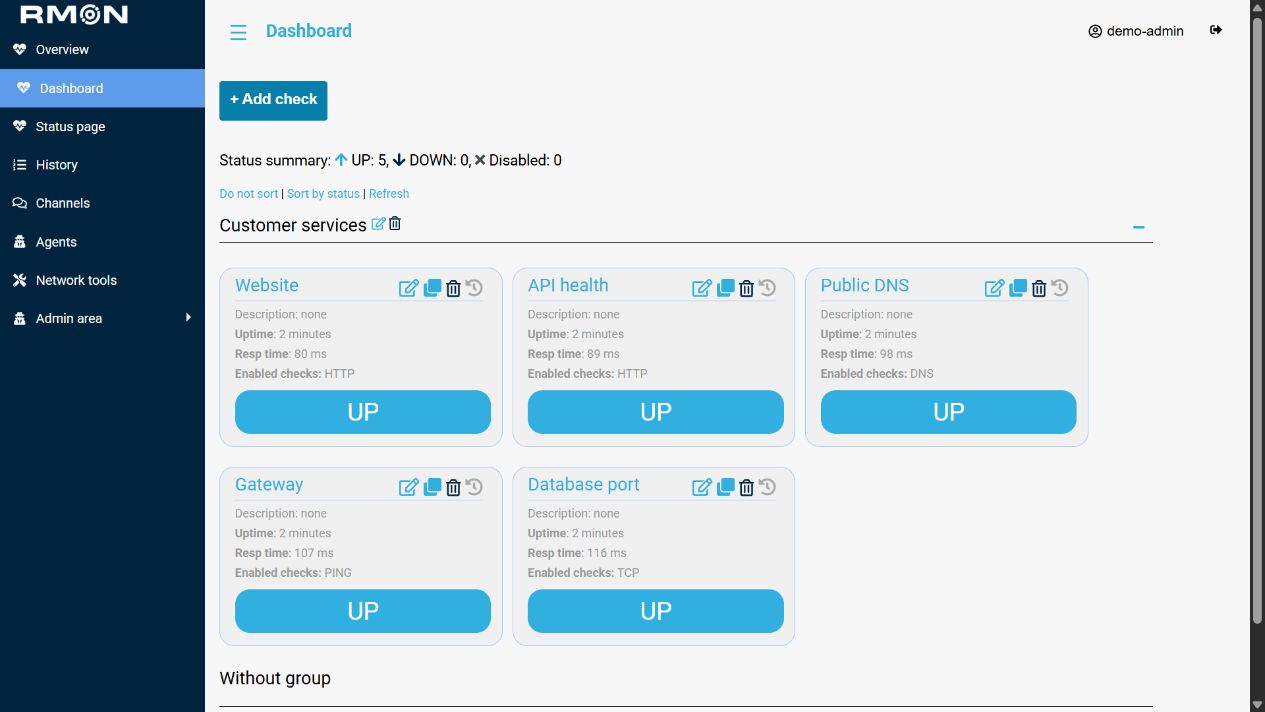
Follow the installation guide for native installations or Docker. For a new Docker deployment, prepare compose.yaml and .env as described in the Docker guide, make the selected images available on the host, then run:
docker compose config --quiet
docker compose run --rm --no-deps web init
docker compose up -d --no-build
Choose the administrator password when prompted and open your RMON HTTPS address. For an existing installation, follow the migration guide and preserve the database and application keys; do not run init.
Add hosts and SSH credentials, install agents, then create a check. The website covers HTTPS and mTLS settings, notifications, status pages and updates and backups.
For Kubernetes, prepare the Secrets, storage and values.yaml using the Kubernetes guide, then install:
helm upgrade --install rmon oci://ghcr.io/roxy-wi/rmon/rmon-chart \
  --version 1.4.2 --namespace rmon --create-namespace \
--values values.yaml --wait --timeout 10mRMON is a commercial product. See documentation and support contacts.
Starting with the 1.4.0 release line, RMON is source-available under the
Elastic License 2.0 (Elastic-2.0). Self-hosted and internal use is
available subject to ELv2. Offering RMON, or a service exposing a substantial
set of its functionality, to third parties as a hosted or managed service
requires rights permitted by ELv2 or a separate commercial license.
See LICENSING.md for usage examples and historical release terms, and COMMERCIAL_LICENSE.md for commercial licensing. Contributions are subject to CLA.md; see CONTRIBUTING.md for the signing process.
Historical versions and copies retain the terms that accompanied them. Third-party dependencies and vendored components retain their own licenses.