
Grok Build is SpaceXAI's terminal-based AI coding agent. It runs as a full-screen TUI that understands your codebase, edits files, executes shell commands, searches the web, and manages long-running tasks — interactively, headlessly for scripting/CI, or embedded in editors via the Agent Client Protocol (ACP).
Installing the released binary · Building from source · Documentation · Repository layout · Development · Contributing · License
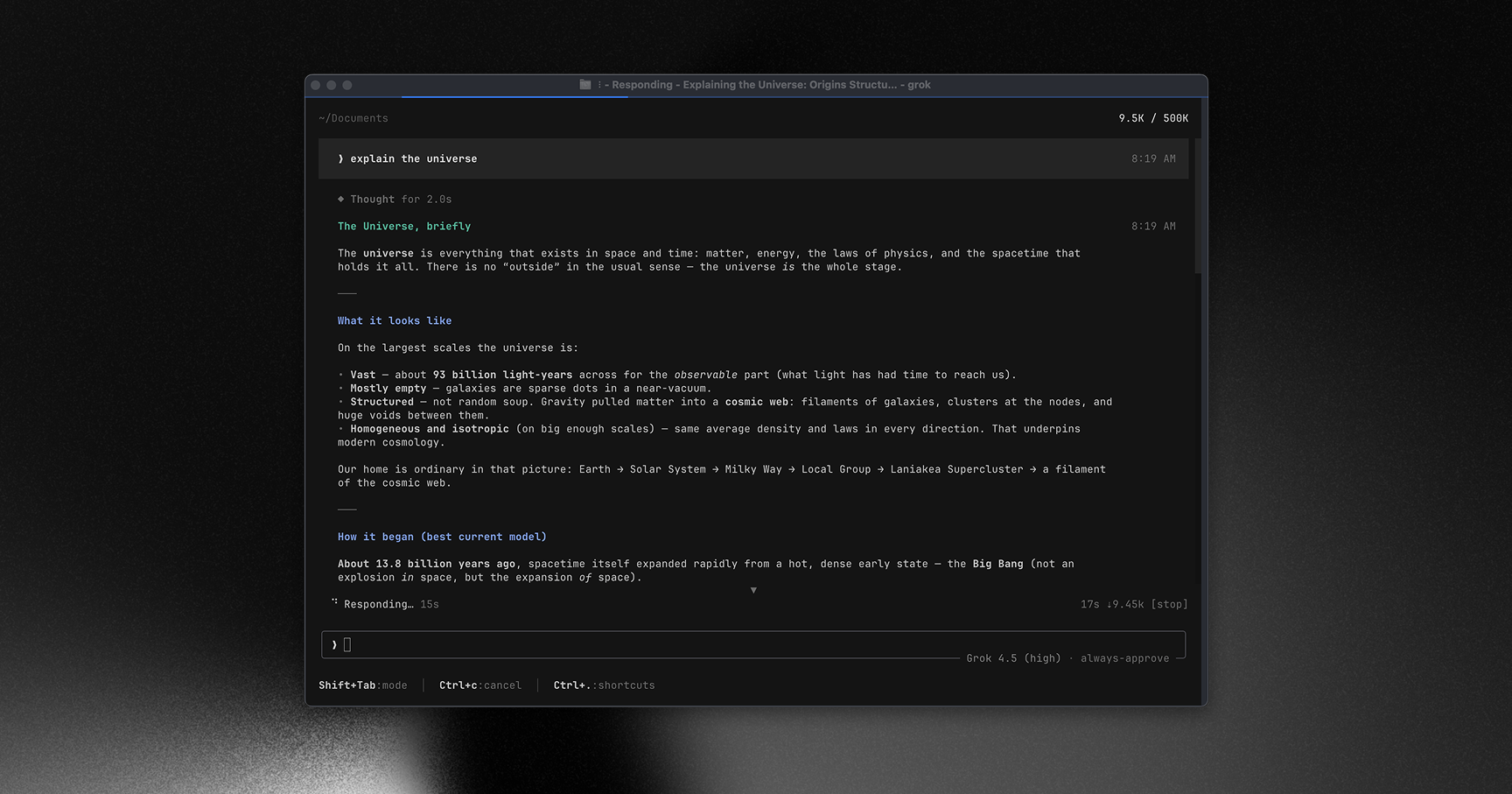
Learn more about Grok Build at x.ai/cli
This repository contains the Rust source for the grok CLI/TUI and its agent
runtime. It is synced periodically from the SpaceXAI monorepo.
A small SOURCE_REV file at the root records the full monorepo commit SHA
for the version of the code present in this tree.
This fork disables every network telemetry client at compile time. It does not send product analytics, traces, crash reports, automatic feedback records, session-registry data, or workspace telemetry. Local logs and local crash files still work.
The intended runtime is one OpenAI-compatible endpoint. A custom
models_base_url replaces the bundled catalog instead of adding to it. The
custom models guide
has the CLIProxyAPI roster and fallback setup. This fork also reads Codex MCP
servers from ~/.codex/config.toml and skills from ~/.codex/skills without
copying either source.
This fork builds Linux x64 and macOS Apple Silicon archives. Use this repository's releases, not the upstream x.ai installer, to retain the custom runtime.
Install the latest release:
curl -fsSL https://raw.githubusercontent.com/opencoredev/grok-build2/main/install.sh | bashThe installer selects the archive for the current platform, verifies its
SHA-256 checksum, and installs grok and grok2 in ~/.local/bin. It does not
build from source or require provider credentials.
To install without piping a script to Bash, download the archive and its
.sha256 file. Verify the checksum before extracting it. On macOS use
shasum -a 256 -c FILE.sha256; on Linux use
sha256sum -c FILE.sha256. Then run bash install.sh inside the extracted
directory. The installer puts both grok and grok2 on the same launcher in
~/.local/bin and keeps .previous backups. Add that directory to PATH.
CLIProxyAPI must already be installed and configured locally. The launcher requires Bash, curl, and Ruby with YAML support. It reads the existing proxy client key without printing it. It never installs credentials or changes model routes. Restart existing sessions to load a new binary.
grok2 check
grok --resume SESSION_ID
# Inside the restored session:
/goal resume
The archive uses the version in package.json, injected into Rust with
GROK_VERSION. See CHANGELOG.md for fork release notes.
After the first archive install, normal launches check this fork for updates in
the background, at most once every six hours. A verified release installs as a
complete version directory. The next launch uses it; running sessions stay on
their current version. Failed checks do not block launch. The launcher never
uses the upstream updater or rebuilds on launch.
Run grok2 update to check and install now. Run grok2 rollback to restore the
previous release and pause automatic updates. A successful grok2 update
resumes them. Set GROK2_AUTO_UPDATE=0 or pass --no-auto-update to disable
background checks.
Downloads use only this repository over HTTPS. The updater verifies the archive
checksum, file paths, target, and binary version before switching current.
Checksums are not code signatures. These initial macOS archives are not
Developer ID signed or notarized. Errors are recorded in
~/.grok/grok2/update.log. Old version directories remain for running sessions
and rollback; updates do not delete them.
Source builds and GROK2_BINARY overrides do not auto-update. Existing flat
installations need one archive install to enable updates. Use a separate
GROK2_INSTALL_DIR for source builds after installing a managed release.
PRs run Rust formatting, runtime tests, operator-documentation checks, binary
compilation checks, and release-install tests on Tenki. Tests do not require
provider credentials. Tenki Runner must be authorized for this repository.
PR CI uses tenki-standard-large-8c-16g. Linux releases use
tenki-standard-large-plus-16c-32g. Darwin archives are built by a follow-up
workflow on tenki-macos-15-medium so a missing macOS runner cannot hold the
Linux release concurrency group. They do not fall back to another provider
when a runner is unavailable.
Use Bun 1.4.0 or later for release tooling:
bun install --frozen-lockfile
bun run changeset
bun run test:release
Commit a changeset with each user-visible change. The Version packages workflow
opens a version PR with the accumulated notes. Merge that PR after CI passes.
The Release workflow reruns tests, builds the Linux archive, and uploads it as
an artifact. A follow-up macOS workflow then builds the Darwin archive and
publishes both archives and SHA-256 files as vVERSION. Release reruns skip
versions already published. No package is published to npm.
GitHub Actions must be allowed to create pull requests for the version workflow.
It explicitly dispatches CI for the generated branch because PRs created with
GITHUB_TOKEN do not trigger PR workflows. Tenki app authorization is required
for Linux CI. A missing macOS runner delays Darwin publication; it does not
block the Linux job.
Requirements:
-
Rust — the toolchain is pinned by
rust-toolchain.toml;rustupinstalls it automatically on first build. -
DotSlash — required so hermetic tools under
bin/(notablybin/protoc) can download and run. Install it and ensuredotslashis on yourPATHbefore building:cargo install dotslash # or: prebuilt packages — https://dotslash-cli.com/docs/installation/ /usr/bin/env dotslash --help # sanity check
-
protoc — proto codegen resolves
bin/protocvia DotSlash, or falls back to aprotoconPATH/$PROTOC. -
macOS and Linux are supported build hosts; Windows builds are best-effort and not currently tested from this tree.
cargo run -p xai-grok-pager-bin              # build + launch the TUI
cargo build -p xai-grok-pager-bin --release  # release binary: target/release/xai-grok-pager
cargo check -p xai-grok-pager-bin            # fast validation
For the local CLIProxyAPI setup in this fork, use the repository launcher:
./grok2 build           # rebuild and install the Grok 2 binary
mkdir -p ~/.local/bin
ln -sfn "$PWD/grok2" ~/.local/bin/grok2
ln -sfn "$PWD/grok2" ~/.local/bin/grok
grok2                   # start CLIProxyAPI if needed, then open the installed TUI
grok2 models            # list subscription-backed models
grok2 login devin       # refresh one subscription login
grok2 login all         # run every required subscription login
grok2 check             # check paths, proxy status, and local client auth
The launcher reads the existing CLIProxyAPI client key into the child process.
It does not print the key or store a second copy.
Normal launches never run Cargo. Only grok2 build replaces the installed
binary at ~/.grok/grok2/xai-grok-pager. Builds use the isolated
~/.cache/grok2-target cache, so another repository cleanup cannot remove the
installed binary or corrupt an active build.
The binary artifact is named xai-grok-pager; official installs ship it as
grok. On first launch it opens your browser to authenticate — see the
authentication guide.
Full online documentation is available at docs.x.ai/build/overview.
The user guide ships with the pager crate:
crates/codegen/xai-grok-pager/docs/user-guide/
— getting started, keyboard shortcuts, slash commands, configuration, theming,
MCP servers, skills, plugins, hooks, headless mode, sandboxing, and more.
| Path | Contents |
|---|---|
crates/codegen/xai-grok-pager-bin |
Composition-root package; builds the xai-grok-pager binary |
crates/codegen/xai-grok-pager |
The TUI: scrollback, prompt, modals, rendering |
crates/codegen/xai-grok-shell |
Agent runtime + leader/stdio/headless entry points |
crates/codegen/xai-grok-tools |
Tool implementations (terminal, file edit, search, ...) |
crates/codegen/xai-grok-workspace |
Host filesystem, VCS, execution, checkpoints |
crates/codegen/... |
The rest of the CLI crate closure (config, MCP, markdown, sandbox, ...) |
crates/common/, crates/build/, prod/mc/ |
Small shared leaf crates pulled in by the closure |
third_party/ |
Vendored upstream source (Mermaid diagram stack) — see below |
Important
The root Cargo.toml (workspace members, dependency versions, lints,
profiles) is generated — treat it as read-only. Prefer editing per-crate
Cargo.toml files.
cargo check -p <crate>        # always target specific crates; full-workspace builds are slow
cargo test -p xai-grok-config # per-crate tests
cargo clippy -p <crate>       # lint config: clippy.toml at the repo root
cargo fmt --all # rustfmt.toml at the repo rootNote
External contributions are not accepted. See CONTRIBUTING.md.
First-party code in this repository is licensed under the Apache License,
Version 2.0 — see LICENSE.
Third-party and vendored code remains under its original licenses. See:
THIRD-PARTY-NOTICES— crates.io / git dependencies, bundled UI themes, and in-tree source ports (including openai/codex and sst/opencode tool implementations)crates/codegen/xai-grok-tools/THIRD_PARTY_NOTICES.md— crate-local notice for the codex and opencode ports (license texts + Apache §4(b) change notice)third_party/NOTICE— vendored Mermaid-stack index