





High-quality neural text-to-speech with 50+ voices across 9 languages

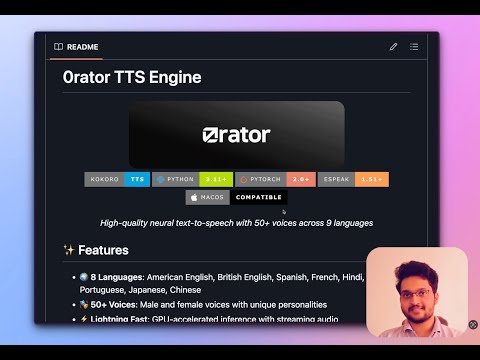
Click for Demo ☝️ [Will update the demo]
- 🌍 9 Languages: American English, British English, Spanish, French, Hindi, Italian, Portuguese, Japanese, Chinese
- 🎭 55 Voices: Male and female voices with unique personalities
- ⚡ Lightning Fast: GPU-accelerated inference with streaming audio
- 🎯 macOS Hotkey: Double-tap Option key ⌥ for instant TTS anywhere
- 🔊 High Quality: Super high quality neural audio synthesis
- 🚀 Easy Setup: Installation through UV package manager
- 📱 System-Wide: Works with any macOS application
Voices/Languages Available
Female Voices:
af(default)af_alloyaf_aoedeaf_bellaaf_heartaf_jessicaaf_koreaf_nicoleaf_novaaf_riveraf_sarahaf_sky
Male Voices:
am_adamam_echoam_ericam_fenriram_liamam_michaelam_onyxam_puckam_santa
Female Voices:
bf_alicebf_emmabf_isabellabf_lily
Male Voices:
bm_danielbm_fablebm_georgebm_lewis
Female Voices:
ef_dora
Male Voices:
em_alexem_santa
Female Voices:
ff_siwis
Female Voices:
hf_alphahf_beta
Male Voices:
hm_omegahm_psi
Female Voices:
if_sara
Male Voices:
im_nicola
Female Voices:
jf_alphajf_gongitsunejf_nezumijf_tebukuro
Male Voices:
jm_kumo
Female Voices:
pf_dora
Male Voices:
pm_alexpm_santa
Female Voices:
zf_xiaobeizf_xiaonizf_xiaoxiaozf_xiaoyi
Male Voices:
zm_yunjianzm_yunxizm_yunxiazm_yunyang
We recommend UV for this project because it's:
- ⚡ 10-100x faster than pip
- 🔒 More secure with built-in dependency resolution
- 🎯 Zero configuration - works out of the box
- 🔄 Drop-in replacement for pip/pipenv/poetry
- 🌟 Industry standard - used by major Python projects
- Clone and install the package:
# Clone repo
cd Orator

# Create virtual environment
python3 -m venv .venv
source .venv/bin/activate  # On macOS/Linux

# Install in editable mode
pip install -e .
- Install UV (if you don't have it):
- Assumed that python is already installed on your system.
pip install uv
- Clone and setup the project:
# Clone repo
cd Orator

# Create virtual environment and install dependencies
uv venv --python=3.11
source .venv/bin/activate  # On macOS/Linux
uv pip install -r requirements.txt
-
Install espeak-ng (required for phonemization):
# macOS
brew install espeak-ng

# Verify installation
espeak-ng --version

#eSpeak NG text-to-speech: 1.51  Data at: /opt/homebrew/Cellar/espeak-ng/1.51/share/espeak-ng-data
-
Download model and voices (if not included):
uv pip install -U "huggingface_hub[cli]"

# Download model
huggingface-cli download hexgrad/Kokoro-82M --include "onnx/model.onnx" --local-dir ./kokoro_model_onnx/

# Download voices
huggingface-cli download onnx-community/Kokoro-82M-v1.0-ONNX --include "voices/*" --local-dir ./kokoro_model_onnx/voices
-
Language Pack
- By default "en-core-web-sm" is installed through requirements for English, navigate and install other small language packs from spaCy.
Grant Accessibility Permissions First:
- Open System Preferences → Security & Privacy → Privacy
- Select "Accessibility" from the left panel
- Click the lock icon and enter your password
- Add your terminal application (Terminal.app, iTerm2, etc.)
- Ensure it's checked/enabled
Run the hotkey application:
# Make sure your are inside the virtual environment
python3 macos_tts_hotkey.py
How to use:
- Select any text in any macOS application
- Double-tap the Option key (⌥) quickly to start TTS
- Press Escape key to stop TTS playback at any time
- Listen to the text being read aloud!
Edit config_hotkey.json:
{
    "model_path": "kokoro-v1_0.pth",
    "voices_dir": "voices",
    "voice": "af_bella",
    "speed": 1.0,
    "device": "auto"
}Choose voices by language prefix:
af_*/am_*- American Englishbf_*/bm_*- British Englishef_*/em_*- Spanishff_*- Frenchhf_*/hm_*- Hindiif_*/im_*- Italianjf_*/jm_*- Japanesepf_*/pm_*- Portuguesezf_*/zm_*- Chinese
"Failed to start keyboard monitoring"
- Grant Accessibility permissions in System Preferences
- Restart the application after granting permissions
"espeak-ng not found"
# Install espeak-ng
brew install espeak-ng

# Verify installation
which espeak-ng
"Model file not found"
- Ensure
kokoro-v1_0.onnxis in the kokoro_model_onnx directory - Check file permissions and path
"CUDA out of memory"
# Use CPU instead
config.device = "cpu"

# Or reduce batch size for long texts
"Voice file not found"
- Ensure voice files are in the
voices/directory - Check that the voice name matches exactly (case-sensitive)
"Stop functionality not working"
- Ensure the application has focus or accessibility permissions
- Try pressing Escape key while TTS is actively playing
- Check terminal logs for any error messages
- GPU Usage: Automatic CUDA detection, falls back to CPU
- Memory Management: Automatic cleanup after generation
- Streaming: Use
generate_audio_stream()for long texts - Caching: Voice packs are cached after first load
We welcome contributions! Please feel free to:
- Report bugs and issues
- Suggest new features
- Submit pull requests
- Add new voice packs
- Improve documentation
- Streaming Audio chunks for Long Formers (Controlled low latency)
- Speed Controls for Audio Stream
- LLM driven Agentic AI Capabilities
- Native MacOS application/interface for UI driven audio controlls
- UI voice swap controlls
Want to help shape the future of Kokoro TTS? Here's how:
- 🐛 Report Issues - Help us identify bugs and improvements
- 💡 Suggest Features - Share your ideas for new functionality
- 🔧 Contribute Code - Submit PRs for features or fixes
- 🎨 Design UI/UX - Help design the native app interface
- 📝 Write Documentation - Improve guides and tutorials
- 🗣️ Add Voices - Contribute new voice packs and languages
- Built on the amazing Kokoro TTS model
- Powered by ONNX and modern neural architectures
- Inspired by the need for accessible, high-quality TTS


Made with ❤️ for the open-source community


