
See what your PR changed — before & after, in a clip.
A free, open-source CLI that records a journey through your app and turns it into a polished
before/after video for your pull request.



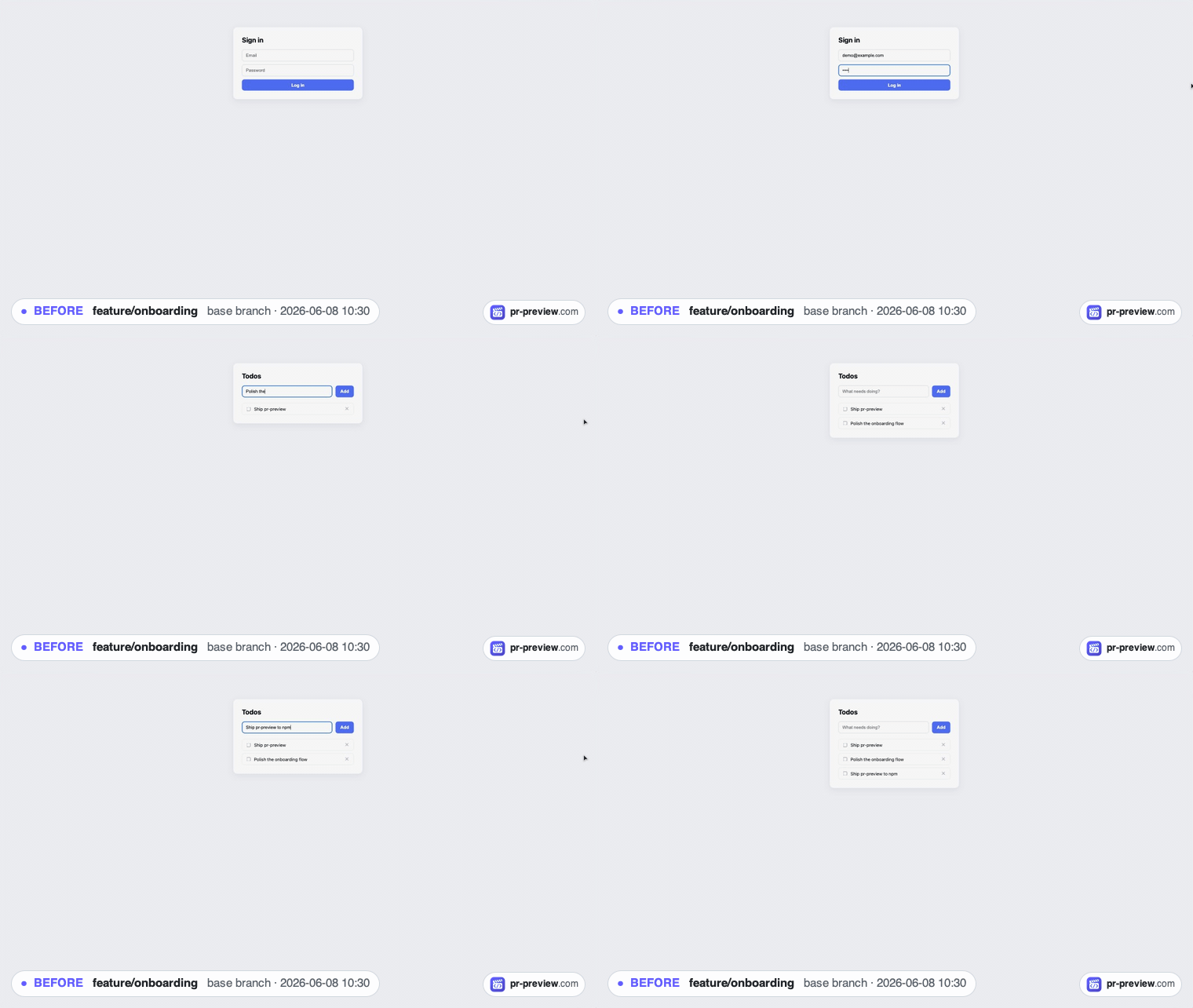
PR Preview opens your app in a controlled Chrome window and records the journey you perform — clicking through a feature, logging in, submitting a form. The recording is the clip (no replay, no flaky re-enactment), so what you did is exactly what reviewers see. Do it on your PR's base branch and on your branch and you get two high-quality videos you can drag straight into a GitHub pull request:
before.mp4 |
after.mp4 |
|---|---|
| your journey on the base branch | the same journey, with your changes |
No CI to set up, no scripts to write. It runs locally, against your real dev server, and ships in about a minute.
Why it matters: in the AI era, more of every diff is machine-generated, and reviewers can't infer how the UI behaves from reading generated code. A 15-second before/after clip makes the visual change obvious in seconds — and turns "LGTM" into an actual review.
- 🎬 Record by demonstration — just use your app. Clicks, typing, scrolling and navigation are captured as an editable outline; no selectors or scripts to hand-write.
- 🎥 Live capture, zero drift — the clip is your real recording, not a replay, so it never desyncs on stateful apps. A synthetic cursor makes every move easy to follow.
- 🌳 True before/after — the base branch runs in an isolated git worktree; your working
tree is never touched. Or point it at an app you already run with
--url. - 🎞️ Tiny, sharp MP4s — H.264, near-Full-HD, a few hundred KB. GitHub renders them inline in a PR. High-quality GIF fallback when ffmpeg isn't installed.
- 🔒 Runs entirely on your machine — nothing is uploaded. Your source and app data never leave your computer.
- 🏷️ Self-describing clips — each is captioned with its branch and a timestamp.
- 🤖 Agent-friendly — config-driven and flag-free, so you can kick it off from Claude Code or CI.
npm i -D @qwertybit/pr-preview
npx playwright install chromium   # one-time browser download
npx pr-preview init               # scaffolds pr-preview.config.js
ffmpeg (optional, recommended) gives you MP4 output. macOS:
brew install ffmpeg· Debian/Ubuntu:apt install ffmpeg. Without it, PR Preview produces a high-quality GIF instead.
On your PR branch:
npx pr-preview runThat's it. PR Preview will:
- Detect your PR base, check it out into a worktree, and start its dev server.
- Open Chrome with the recording harness. Record your journey → Confirm →
before.mp4. - Switch to your branch's app, record the same journey (or reuse the BEFORE outline) → Save →
after.mp4. - Open the output folder.
Both clips land in .pr-preview/output/. Drag them into your PR description — done.
Just need one clip (a demo, a bug repro)? npx pr-preview run --single records a single standalone
video, no comparison.
A run is a short wizard shown in the harness sidebar:
①────────②────────③────────④────────⑤
Record    Capture   Record    Capture   Generate
(base)    before    (branch)  after     files
- The clip is the recording. Frames are captured live as you perform the journey, then trimmed at the ends and captioned — so it looks polished without the drift of re-enacting steps.
- Before and after are recorded separately (a PR can change the UI completely). If the flows match, a Load BEFORE steps shortcut reuses the outline as a checklist.
- Reset nudge at the start of each pass lets you clear cookies/storage for a clean start, or keep a session you set up by hand (e.g. a manual login) — only shown when there's state to reset.
- Refresh button in the frame corner reloads the app whenever you need a clean slate.
format |
Result | Needs ffmpeg |
|---|---|---|
"mp4" (default) |
before.mp4, after.mp4 |
yes (falls back to GIF) |
"gif" |
before.gif, after.gif |
no |
"both" |
both pairs | yes |
MP4 is recommended: full color, far smaller than GIF, and GitHub embeds it inline.
Everything lives in pr-preview.config.js (or .ts / .json), so a project is set up once and
runs with no flags:
/** @type {import('@qwertybit/pr-preview').Config} */
export default {
  devCommand: "npm run dev",        // required — $PORT is provided
  url: "http://localhost:{port}",   // required — {port} is templated in
  cwd: ".",                         // frontend dir (for monorepos)
  readyTimeout: 60000,              // ms to wait for the dev server

  // Run options (set once here instead of passing CLI flags each time):
  externalUrl: undefined,           // use an app you already run (skip the dev server)
  baseBranch: undefined,            // override base ("before") detection
  keepWorktree: false,              // reuse the base worktree across runs

  output: ".pr-preview/output",
  format: "mp4",                    // "mp4" | "gif" | "both"
  passes: 2,                        // 2 = before/after · 1 = single clip
  resetStorage: true,               // default for the start-of-pass reset choice
  viewport: { width: 1920, height: 1080 },
  headerStrip: true,                // strip X-Frame-Options / frame-ancestors so the app frames

  // Browser permissions granted up front so a native prompt never blocks the run:
  permissions: ["geolocation", "clipboard-read", "clipboard-write"], // allow-all by default
  geolocation: undefined,           // { latitude, longitude } — fixed & deterministic
};| Field | Default | Notes |
|---|---|---|
devCommand |
— | Command that starts your dev server. $PORT is set for you. |
url |
— | Where the app answers once ready. {port} is replaced. |
cwd |
"." |
Frontend directory relative to the repo root. |
readyTimeout |
60000 |
How long to wait for url to respond. |
externalUrl |
— | Use an app you already run instead of a managed dev server. Same as run --url. |
baseBranch |
auto | Override PR-base detection. Same as run --base. |
keepWorktree |
false |
Reuse the base worktree across runs. Same as run --keep-worktree. |
format |
"mp4" |
mp4 | gif | both. |
passes |
2 |
2 = before/after comparison; 1 = single standalone clip. run --single forces 1. |
resetStorage |
true |
Default for the start-of-pass reset choice (clear cookies/storage vs. keep your session). |
viewport |
1920×1080 |
Logical app resolution; the window scales to fit. |
headerStrip |
true |
Strip only frame-busting headers so the app loads in the iframe. |
permissions |
allow-all | Browser permissions to grant (Playwright names). Unlisted ones stay denied — no native prompt blocks the run. |
geolocation |
— | Fixed { latitude, longitude } so location apps render identical results in both clips. |
| Command | What it does |
|---|---|
pr-preview init |
Scaffold pr-preview.config.js and a .gitignore entry. |
pr-preview record |
Record a journey on the current branch only (-o <file>). |
pr-preview run |
The full before/after flow. |
run flags: -b, --base <ref> (override base) · --keep-worktree (reuse the base worktree) ·
-u, --url <url> (use your own running app) · -s, --single (one standalone clip, no comparison).
For apps that can't boot in a throwaway checkout (need .env, a backend, a database), run the app
yourself and point PR Preview at it:
npm run dev                                   # → http://localhost:3000 (base branch)
npx pr-preview run --url http://localhost:3000
It records BEFORE on your running app, then pauses — you switch branches, restart on the same URL, and click Continue — then it records AFTER. No worktree, no managed dev server.
Because every setting lives in the config, a run takes no flags — so an AI agent can kick it off.
Ask Claude Code for a preview and it runs npx pr-preview run; a Chrome window opens, you click
through the ~30-second journey, and the agent picks up the finished before.mp4 / after.mp4 to
drop into your PR. The agent triggers and finalizes; you demonstrate the journey.
PR Preview runs locally — it opens your app in a Chrome window, records, and writes video files to your project. Nothing is uploaded. The clip is a real screen recording, so avoid typing real production secrets on camera (use a test login, or your own redaction).
- Node.js ≥ 20
- Chromium via Playwright (
npx playwright install chromium) - ffmpeg (optional) for MP4 output
PR Preview drives a real app inside a controlled browser, so a few things are out of scope:
- In-iframe SSO (e.g. a redirect-style "Sign in with Google") — providers refuse to be framed. Log in by hand before recording and keep the session; popup-based OAuth usually works.
- CAPTCHA — complete it by hand.
- Canvas/WebGL, closed shadow roots, nested third-party iframes (Stripe Elements, embedded checkout) — limited support.
See CONTRIBUTING.md. Issues and PRs welcome — and a ⭐ helps a lot.
The CLI is open source under the MIT license — free to use, including commercially. This is an open-core project:
- ✅ This CLI — recording and before/after clip generation. MIT, free forever. Clips carry a
small
pr-preview.comwatermark. - 🔒 PR Preview for Teams (pr-preview.com) — the hosted service: clip hosting, a synced review player, team reviewers & comments, sharing, and watermark-free clips. A separate, proprietary commercial offering — coming soon.
- ™️ The "PR Preview" name and logo are trademarks of SC QWERTYBIT SRL; the MIT license covers the code, not the brand.
🎬 pr-preview.com
See it in action, and join the early-access list for PR Preview for Teams —
hosted clips, team reviews & sharing, coming soon.
Built by QwertyBit · Free & Open Source · MIT