A Socket.IO bridge between RotorHazard (upstream timer) and multiple downstream clients (overlays, web apps, PWAs). Clients connect to this repeater instead of the timer directly, which reduces load on the timer.
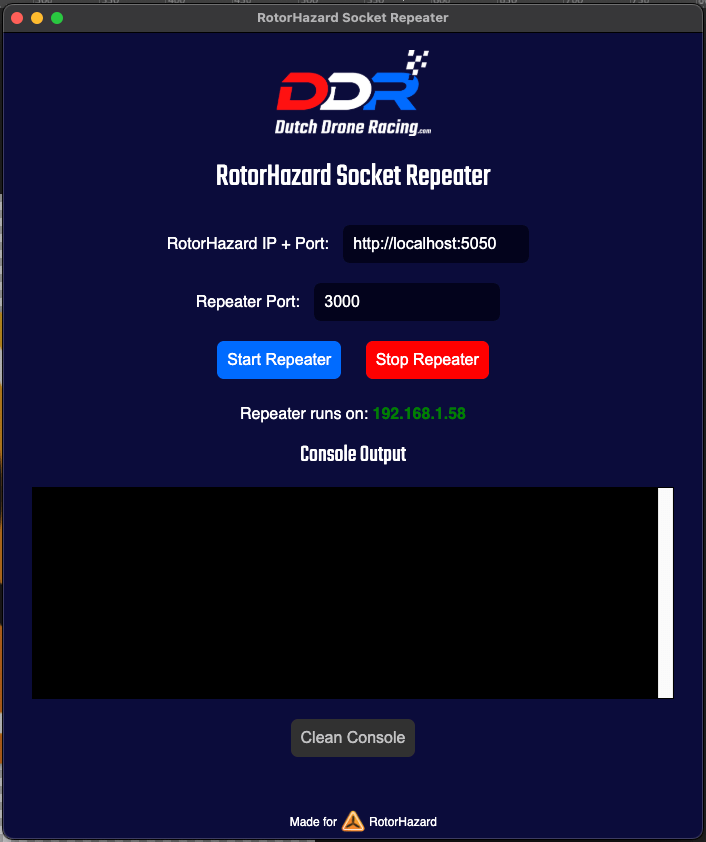
- Socket AUTH for RotorHazard 4.5 — optional admin username/password on the timer connection only. Overlay clients stay unauthenticated.
- Tailscale for remote connections — optional Tailscale Serve (private tailnet HTTPS) or Funnel (public HTTPS) when the repeater starts.
- New UI and settings — Vite/React Electron app with Connection, Activity, Guide, and Settings (bind host, CORS, tunnels).
- Local repeater — HTTP/WebSocket on a configurable host and port (default: all interfaces, port
3000). - RotorHazard 4.5 socket auth — HTTP Basic Auth on the upstream Engine.IO handshake. Downstream overlays, Stream Deck clients, and PWAs do not use auth.
- Tailscale — Serve (tailnet) or Funnel (internet) to
http://127.0.0.1:<port>. Direct100.xTailscale IPs also work for HTTP on the tailnet. - Cloudflare Tunnel — Optionally launch
cloudflaredwhen the repeater starts, using a token from Cloudflare Zero Trust, for a public HTTPS URL without opening inbound firewall ports. - CORS — Permissive mode for LAN use, plus optional extra allowed origins when you need tighter control.
- DDR Race Director — Forwards custom events
ddr_rd_commandandddr_rd_resultwhen used with the matching RotorHazard plugin.
- Node.js (LTS recommended)
- A running RotorHazard instance reachable from this machine
- For Tailscale remote access: Tailscale installed and logged in on this machine
- For public HTTPS via Cloudflare: a separately installed cloudflared binary and a Cloudflare Zero Trust tunnel
npm install
npm startnpm run buildTargets and metadata are configured under "build" in package.json (electron-builder).
Socket.IO uses the path /socket.io/ by default.
- LAN:
http://<this-PC-LAN-IP>:<port>(Engine.IO uses polling and WebSocket). - Tailscale Serve/Funnel:
https://<machine>.<tailnet>.ts.netas the Socket.IO base URL (do not type/socket.io/in that field). - Internet (Cloudflare): After Cloudflare Tunnel, use
https://your.hostnameas the Socket.IO base URL.
From RotorHazard v4.5.0-beta.1, sending socket commands requires admin credentials (the same username/password as the RotorHazard UI). Receiving race broadcasts still works without auth.
This repeater authenticates only toward RotorHazard. Downstream overlays, Stream Deck clients, and PWAs keep connecting to the repeater with no auth.
- On the Connection screen, enter the RotorHazard admin username and password, then start the repeater.
- Or, on the timer: Settings → Advanced Settings → HTTP Server → Admin Socket Auth → Disabled, and leave the repeater fields empty.
Rejected commands are dropped by RotorHazard (they are not forwarded as HTTP 401). Check the repeater log for Action requires authentication.
- Install Tailscale and log in on the same machine as the repeater.
- In Settings, enable Run Tailscale Serve/Funnel when repeater starts.
- Leave Public Funnel off for tailnet-only HTTPS (crew/overlays on your Tailscale network). Turn Funnel on only if the tailnet policy allows public Funnel.
- Start repeater. The Activity log prints the
https://….ts.netURL. Point clients at that base URL.
Stopping the repeater turns Serve/Funnel off for the mapping this app started.
Without Serve/Funnel, other tailnet devices can still use http://<Tailscale-IP>:<port> (HTTP only).
- Install cloudflared on the same machine as the repeater.
- In Zero Trust → Tunnels, create a tunnel and add a public hostname routed to HTTP →
http://127.0.0.1:<repeater-port>. - Copy the token → this app Settings → enable Run cloudflared when repeater starts → paste token → Save.
- Start repeater. Point your client at
https://your.hostname.
Full step-by-step text is also in the app under Guide.
Pages loaded over https:// cannot open insecure ws:// connections to arbitrary hosts. Use Tailscale Serve/Funnel or Cloudflare Tunnel (or another HTTPS edge you control) so browsers use wss://.
- Leave Permissive CORS on for typical LAN overlays.
- Turn it off and set Extra allowed origins (comma-separated exact origins) if you need an allowlist.
Values are stored in localStorage inside Electron (including the tunnel token and RotorHazard admin password). Treat this machine as trusted; do not share the profile with untrusted users.
Normal webSecurity and certificate validation are enabled. For legacy debugging only:
RH_REPEATER_RELAX_SECURITY=1 npm startSee package.json (license field).
Developed in collaboration with Dutch Drone Racing for the RotorHazard ecosystem.