A clean and lightweight drawing add-on for Anki that lets you write, sketch, highlight, and solve directly on your cards while studying.
Perfect for:
- quick handwritten notes
- solving math and science problems
- underlining important ideas
- drawing diagrams
- studying with a mouse, touch screen, or stylus
The add-on is designed to stay minimal, fast, and distraction-free.
- Write and draw on any card during review
- Works with mouse, touch, pen, and stylus
- Surface Pen support
- pen tip = write
- eraser tip = erase automatically
- Line eraser and dot eraser
- 5 thickness levels
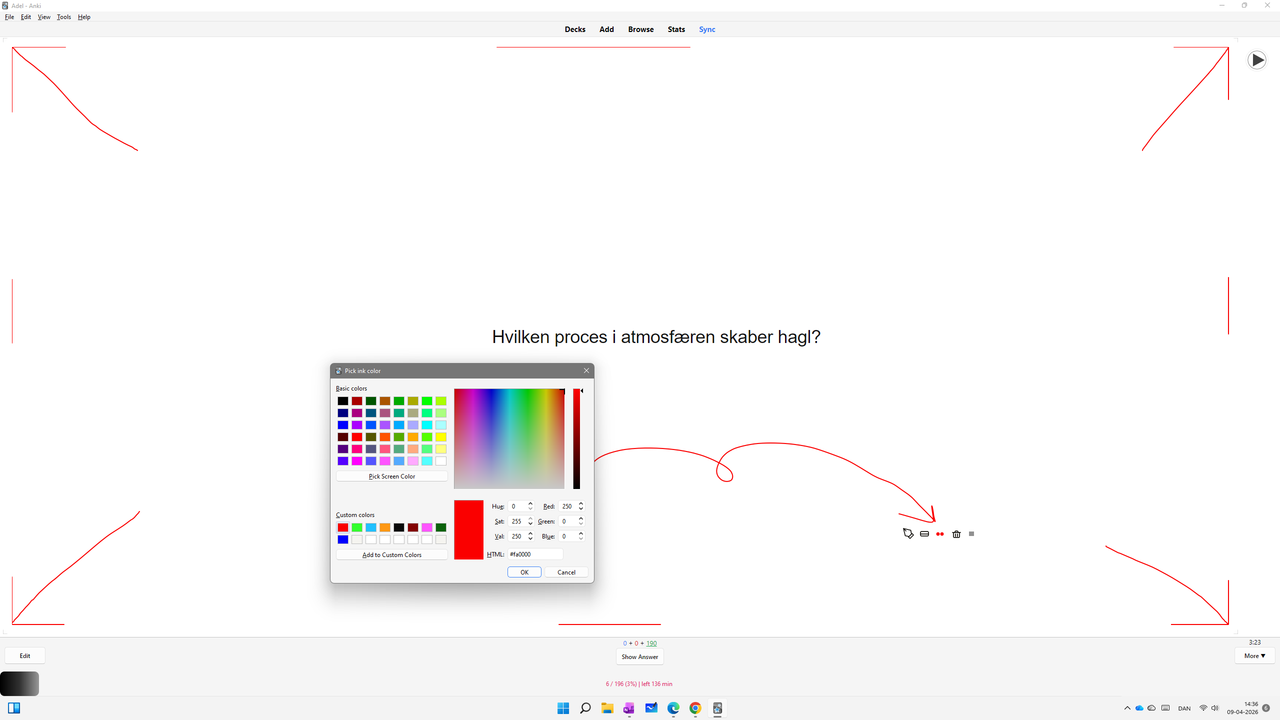
- Hold thickness dots to open colour picker
- Configurable side button action
- Auto-clear drawing on next card
- Show / hide toolbar
- Lock drawing area to prevent accidental resize
- Automatic dark / light mode support
.gif)
- Click the green Code button
- Select Download ZIP
- Extract the ZIP file
- Copy the add-on folder into your Anki add-ons folder:
C:\Users\YOUR_NAME\AppData\Roaming\Anki2\addons21\
~/Library/Application Support/Anki2/addons21/
~/.local/share/Anki2/addons21/
- Restart Anki
- Click the pen icon to activate drawing
- Click again to collapse and deactivate
- Use thickness dots to change line size
- Hold thickness dots to choose colour
- Hold eraser icon to switch erase mode
- Use the tiny dot to show / hide toolbar
- Open Tools → Minimalistic Drawing Panel Settings for more options
The add-on includes:
- toggle key / mouse button
- Surface Pen side button action
- auto-clear on next card
- toolbar visibility
- drawing area lock
If you have any suggestions, feature ideas, or find any issues, feel free to contact me or open an issue on GitHub.
Feedback helps improve both the add-on and my own learning journey as I continue developing it.
Keep calm, keep drawing, and study on! — Adel
MIT License
Copyright (c) 2026 Adel