   ███████╗██╗  ██╗██╗███╗  ██╗██╗███████╗██████╗
   ██╔════╝██║  ██║██║████╗ ██║██║██╔════╝██╔══██╗
   ███████╗███████║██║██╔██╗██║██║█████╗  ██████╔╝
   ╚════██║██╔══██║██║██║╚████║██║██╔══╝  ██╔══██╗
   ███████║██║  ██║██║██║ ╚███║██║███████╗██║  ██║
   ╚══════╝╚═╝  ╚═╝╚═╝╚═╝  ╚══╝╚═╝╚══════╝╚═╝  ╚═╝
Spectrum, Histogram, and Intensity Normalization, Equalization, and Refinement.




SHINIER is a modern Python implementation of SHINE (Spectrum, Histogram, and Intensity Normalization and Equalization), originally developed in MATLAB by Willenbockel et al., 2010. It provides precise control over luminance, contrast, histograms, and spectral content across large image sets for well-calibrated visual experiments.
- Color Processing — New modes for color image control with modern color-space standards (Rec.601 / Rec.709 / Rec.2020).
- Dithering Support — Reduces quantization artifacts and enhances output image quality.
- Optimized Performance — Efficient memory management and faster processing for large image sets (optional Cython/C++ convolution core).
- Legacy Mode — Ensures full backward compatibility with MATLAB’s original SHINE toolbox.
- High-Precision Arithmetic — Computations in floating-point precision rather than 8-bit integer space, minimizing rounding errors in multi-stage processing.
- Object-Oriented Design — Modular, extensible architecture with a clean Python API.
- User-Friendly CLI — Guided, prompt-based interface for users who prefer not to write code.
For detailed technical documentation (algorithms, numerical choices, and MATLAB vs Python behavior), see
documentation/documentation.md.
pip install shinierNote: SHINIER includes a Cython-compiled C++ extension (
_cconvolve) for faster convolution. If a C/C++ compiler is available, it will build automatically during installation, otherwise, it will fall back to a slower NumPy-based implementation.Install compilers:
macOS:
xcode-select --installLinux:
sudo apt install build-essentialWindows: Visual Studio C++ Build Tools
git clone https://github.com/Charestlab/shinier.git
cd shinier
pip install -e ".[dev]"import shinier, sys
print("shinier version:", getattr(shinier, "__version__", "unknown"))Call the following bash command to quickly start using the interactive CLI.
shinier --show_results --image_index=1
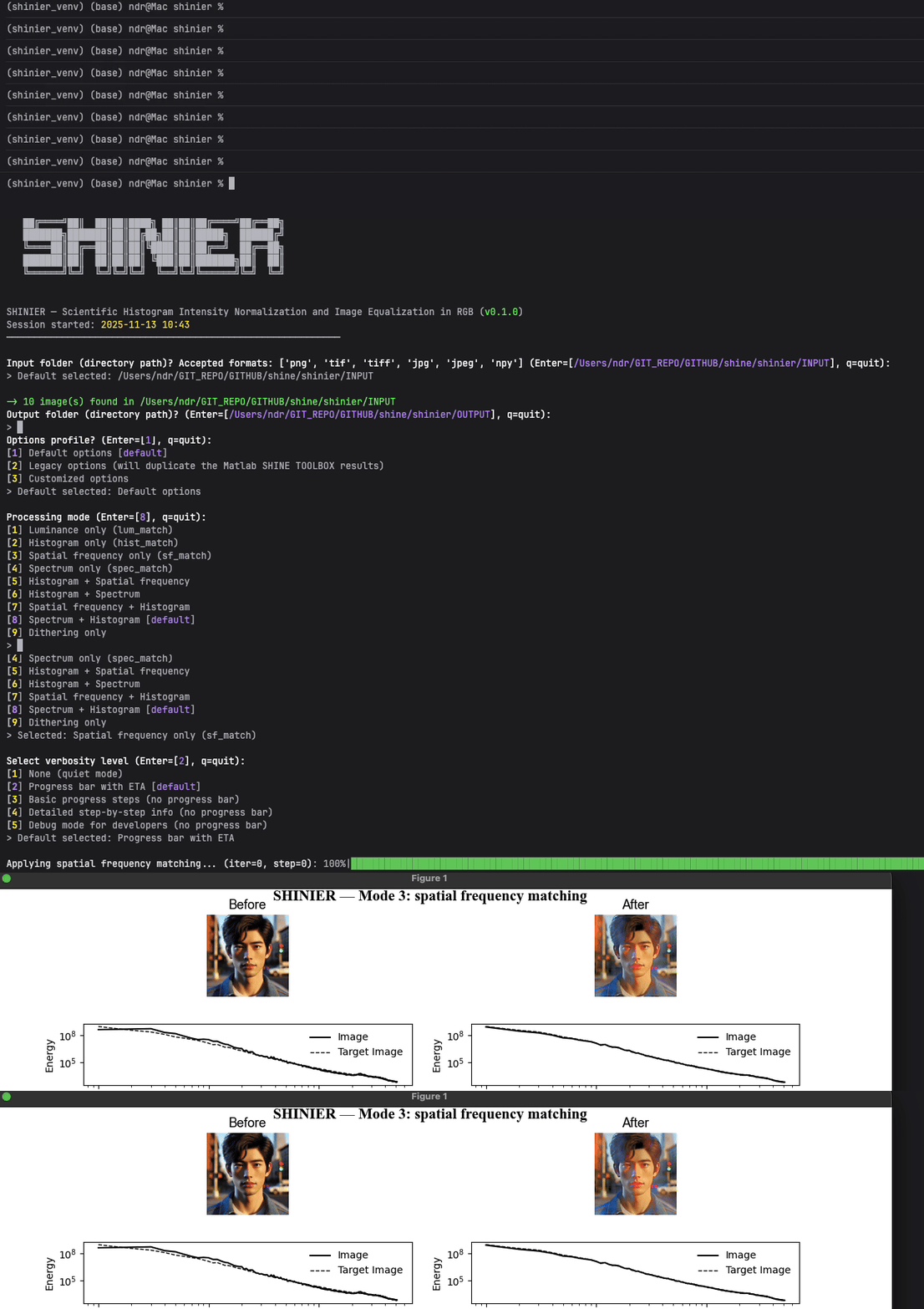
Run the following python code to make sure the package is running properly.
from shinier import Options, ImageDataset, ImageProcessor, utils

opt = Options(mode=3)  # Spatial frequency matching
dataset = ImageDataset(options=opt)
results = ImageProcessor(dataset=dataset, options=opt, verbose=1)
_ = utils.show_processing_overview(processor=results, img_idx=0)Change the mode number (e.g. opt = Options(mode=3)) to change image processing. See details below:
| Mode | Operations | Description |
|---|---|---|
| 1 | lum_match |
Luminance (mean/std) matching |
| 2 | hist_match |
Histogram matching |
| 3 | sf_match |
Rotational spatial frequency matching |
| 4 | spec_match |
Full 2D Fourier spectrum matching |
| 5 | hist_match → sf_match |
Histogram, then spatial frequency |
| 6 | hist_match → spec_match |
Histogram, then spectrum |
| 7 | sf_match → hist_match |
Spatial frequency, then histogram |
| 8 | spec_match → hist_match (default) |
Spectrum, then histogram (recommended) |
| 9 | ie_methods or dithering |
Standalone per-image transform (histogram-derived enhancement or dithering) |
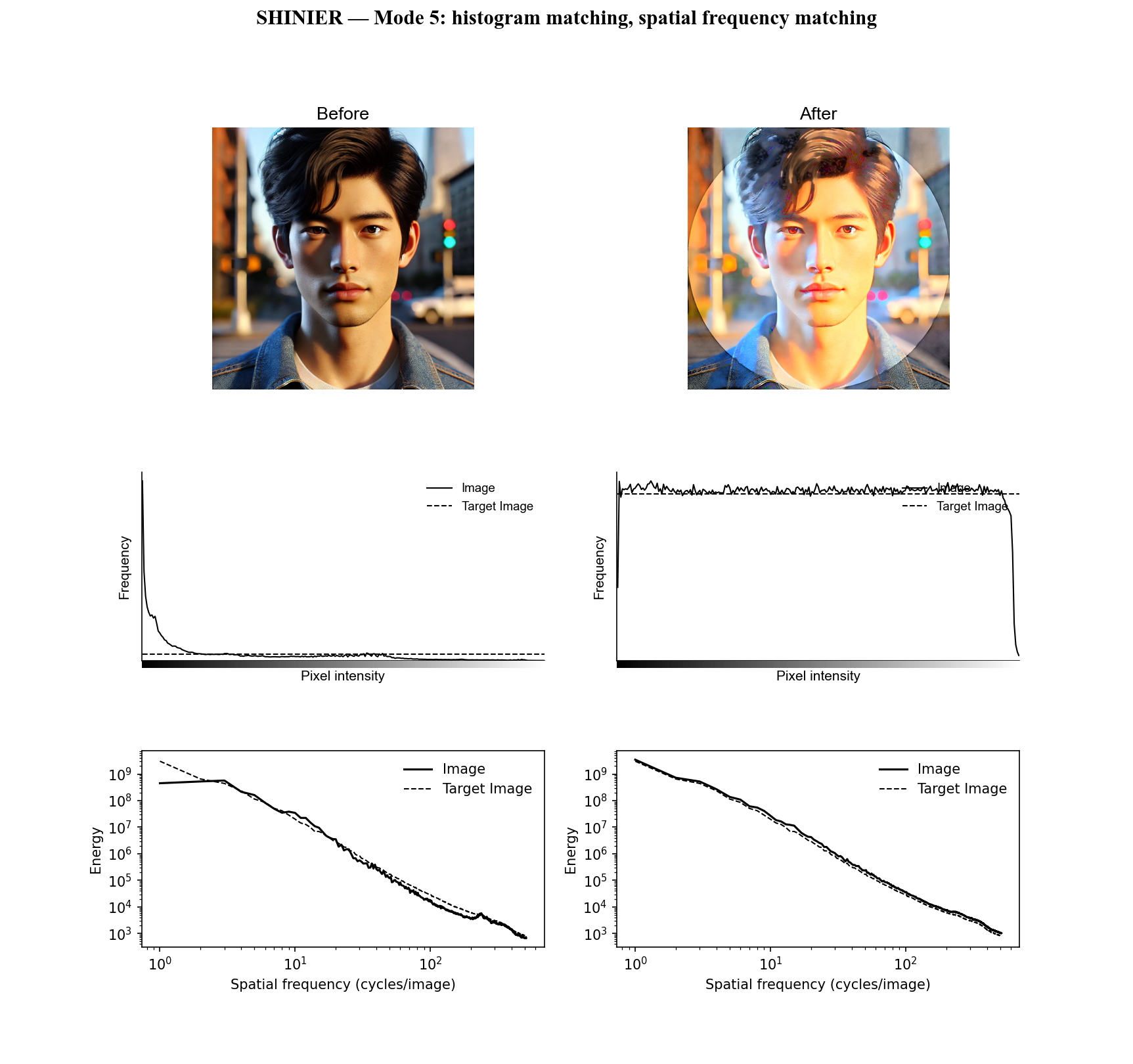
Below is an example of results obtained using mode 5 with joint histogram equalization and spatial frequency normalization.
Documentation:
- Package Overview
- Package Architecture
- MATLAB vs Python Differences
- Detailed Processing Modes
- Border Artifacts and FFT Padding
- Package Main Classes
- StimulusMasker
- Visualization Functions
- Implemented Algorithms
- Memory Management and Performance
- Testing and Validation
- Usage Demonstrations
- Additional Resources
If you use SHINIER, please cite both of these articles:
- Salvas-Hébert, M., Dupuis-Roy, N., Landry, C., Charest, I., & Gosselin, F. (2026). SHINIER: An open-source Python package for controlling low-level image properties. SoftwareX, 35, Article 102884. https://doi.org/10.1016/j.softx.2026.102884
- Willenbockel, V., Sadr, J., Fiset, D., Horne, G. O., Gosselin, F., & Tanaka, J. W. (2010). Controlling low-level image properties: The SHINE toolbox. Behavior Research Methods, 42(3), 671–684. https://doi.org/10.3758/BRM.42.3.671
See CONTRIBUTING.md for guidelines (coding standards, tests, docs, and PR flow).
See LICENSE for more information.
- No compiler available: install a C/C++ toolchain or proceed with the NumPy fallback (slower).
- Compiled extension fails to load (e.g., NumPy too old / ABI mismatch): SHINIER warns and uses the NumPy fallback; upgrade NumPy (and pip/setuptools/wheel) and reinstall to restore the compiled core.
- Import errors after upgrade: try pip install --upgrade pip setuptools wheel and reinstall.
- Windows build issues: ensure MSVC Build Tools are installed and on PATH.
Code developed by Nicolas Dupuis-Roy and Mathias Salvas-Hébert
Version 0.2.2 - Complete technical documentation