



A coding agent can write code faster than you can read it. After many changes, you can forget parts of your Python or TypeScript system.
systemap gives you one page that shows the parts of your system and their connections. Your coding agent writes the map from your code. Commands find changes that make the map incorrect. A pull-request report shows changed parts and connections before you merge the code.
This page gives the map terms, the installation procedure, and the commands that compare the map with the code.
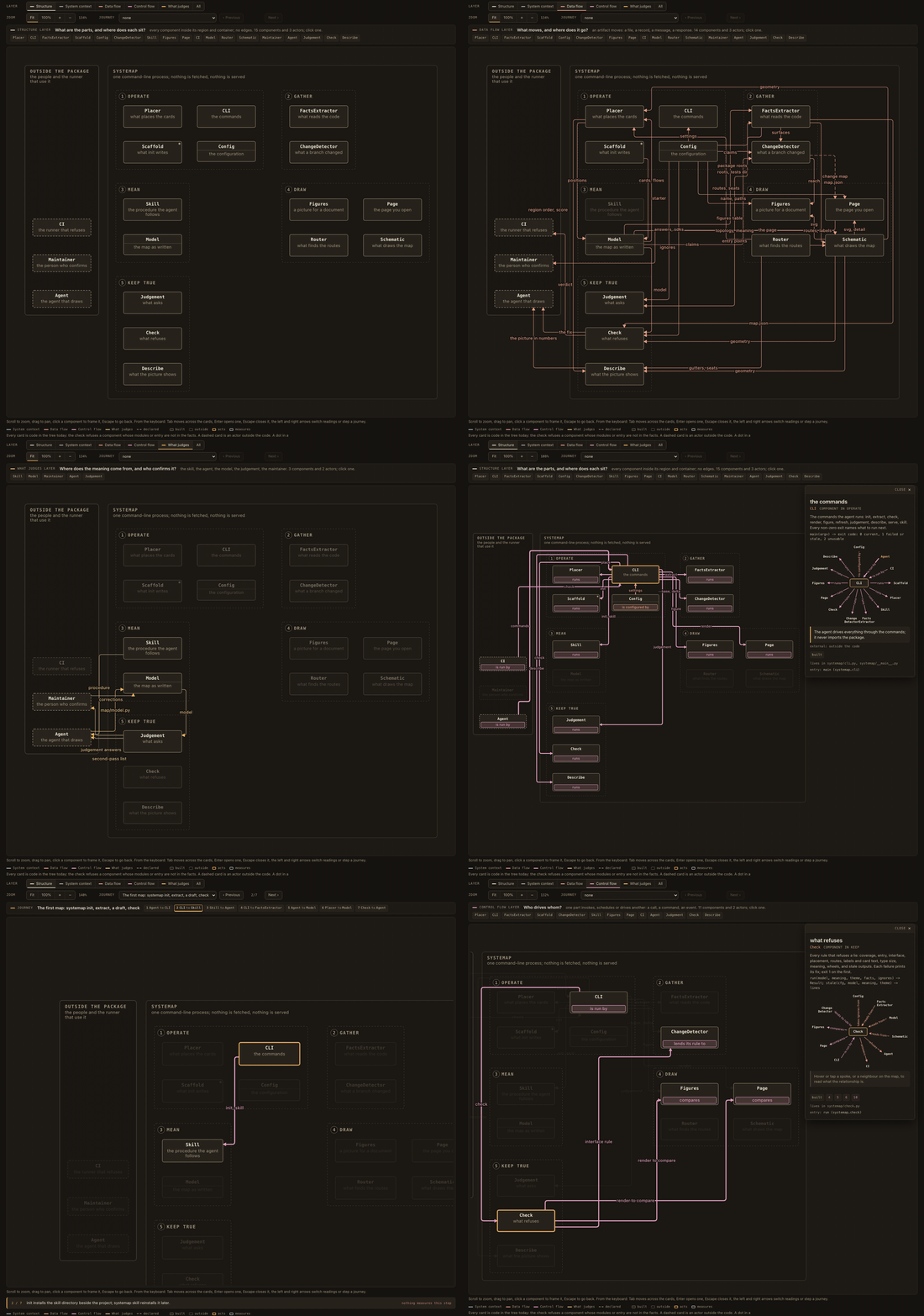
Open the live map, which is systemap's map of itself.
A component is a part of the system. Its modules have one function, such as code extraction, email delivery, or database access. The component shows a function, not a file or directory.
A flow is a connection between two components. Its line has a label that shows what goes between the components: for example, a request or a file.
A sequence is an authored set of ordered steps for an operation. The page shows one step at a time. A sequence does not record an execution.

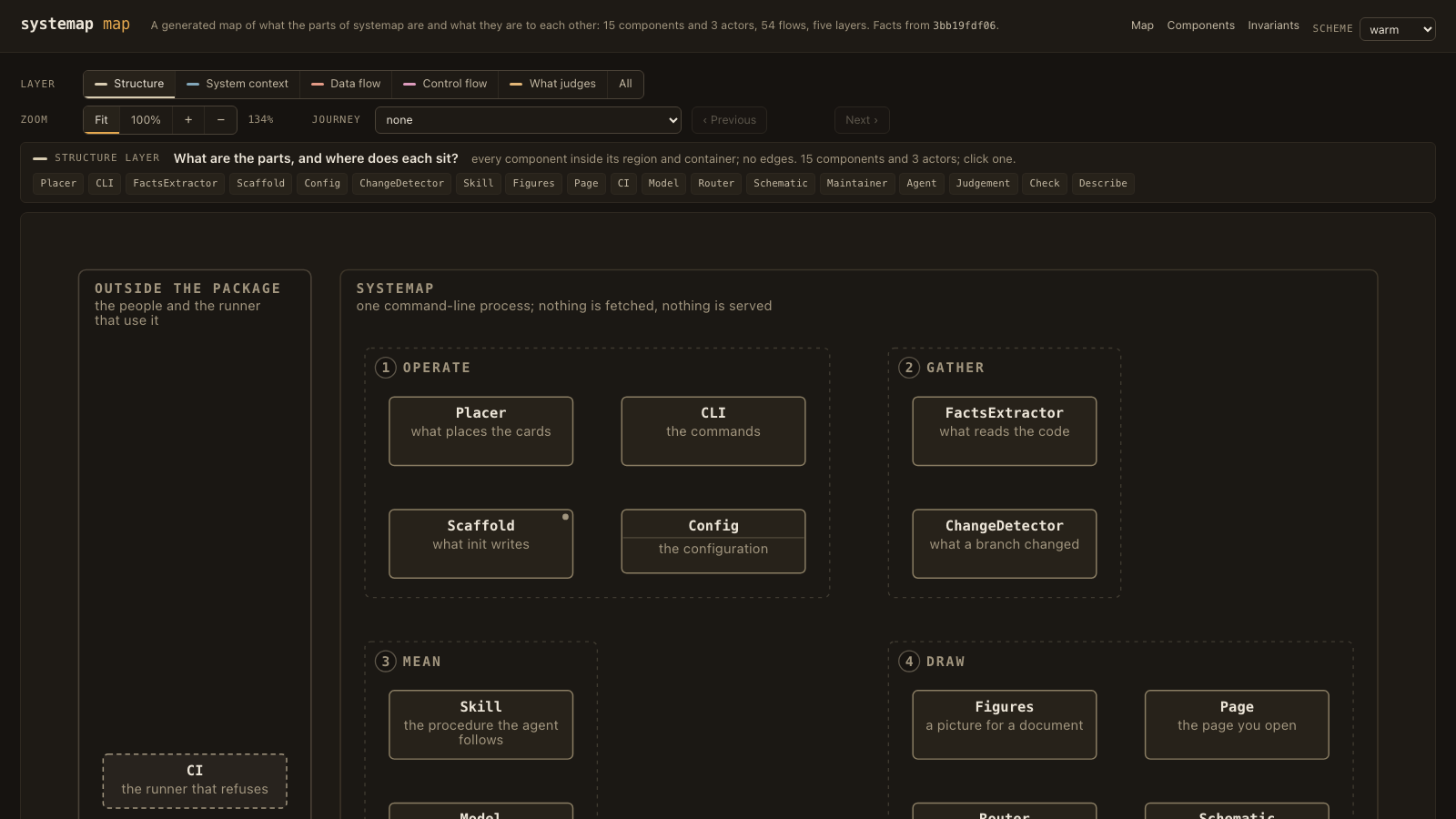
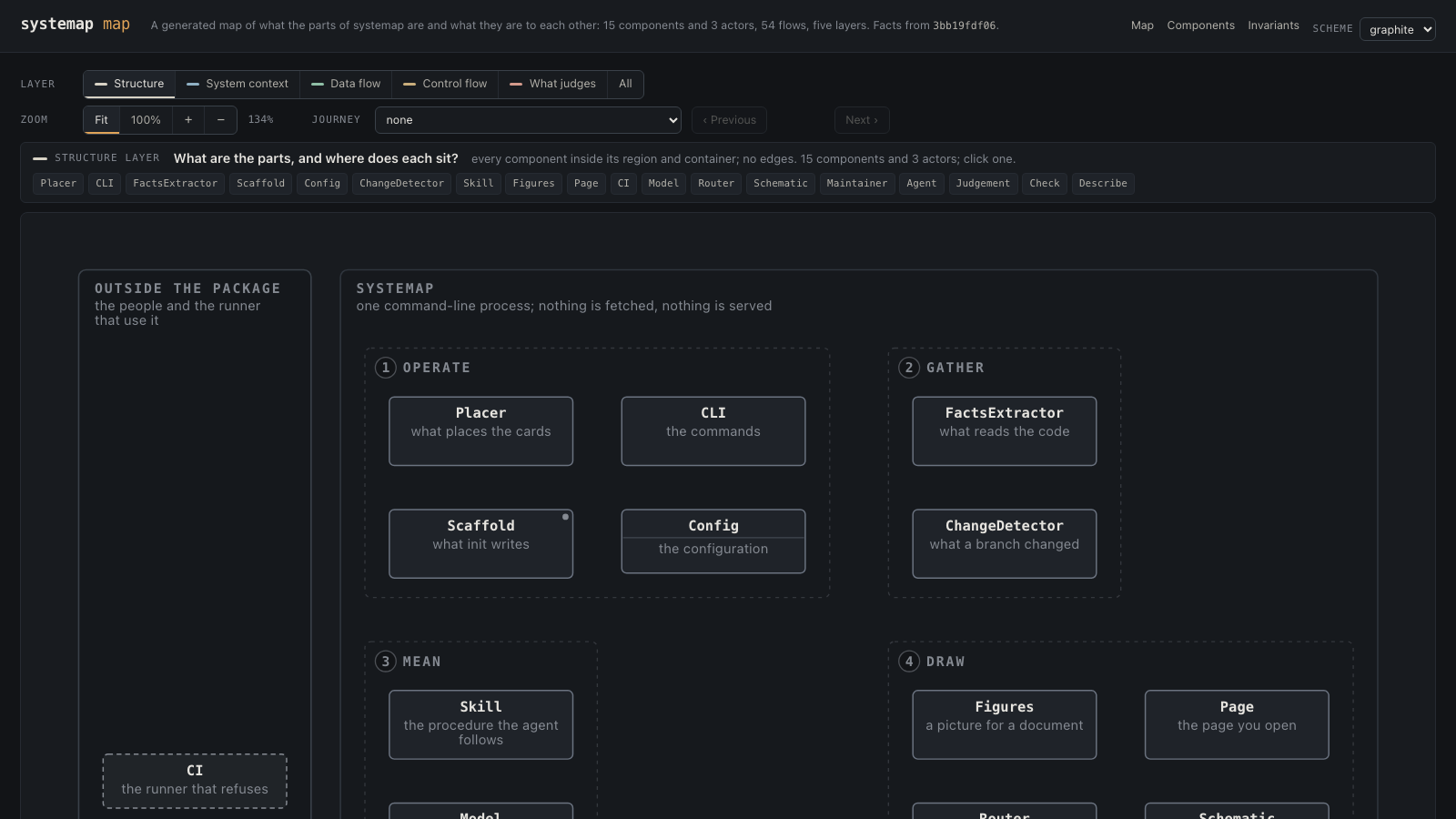
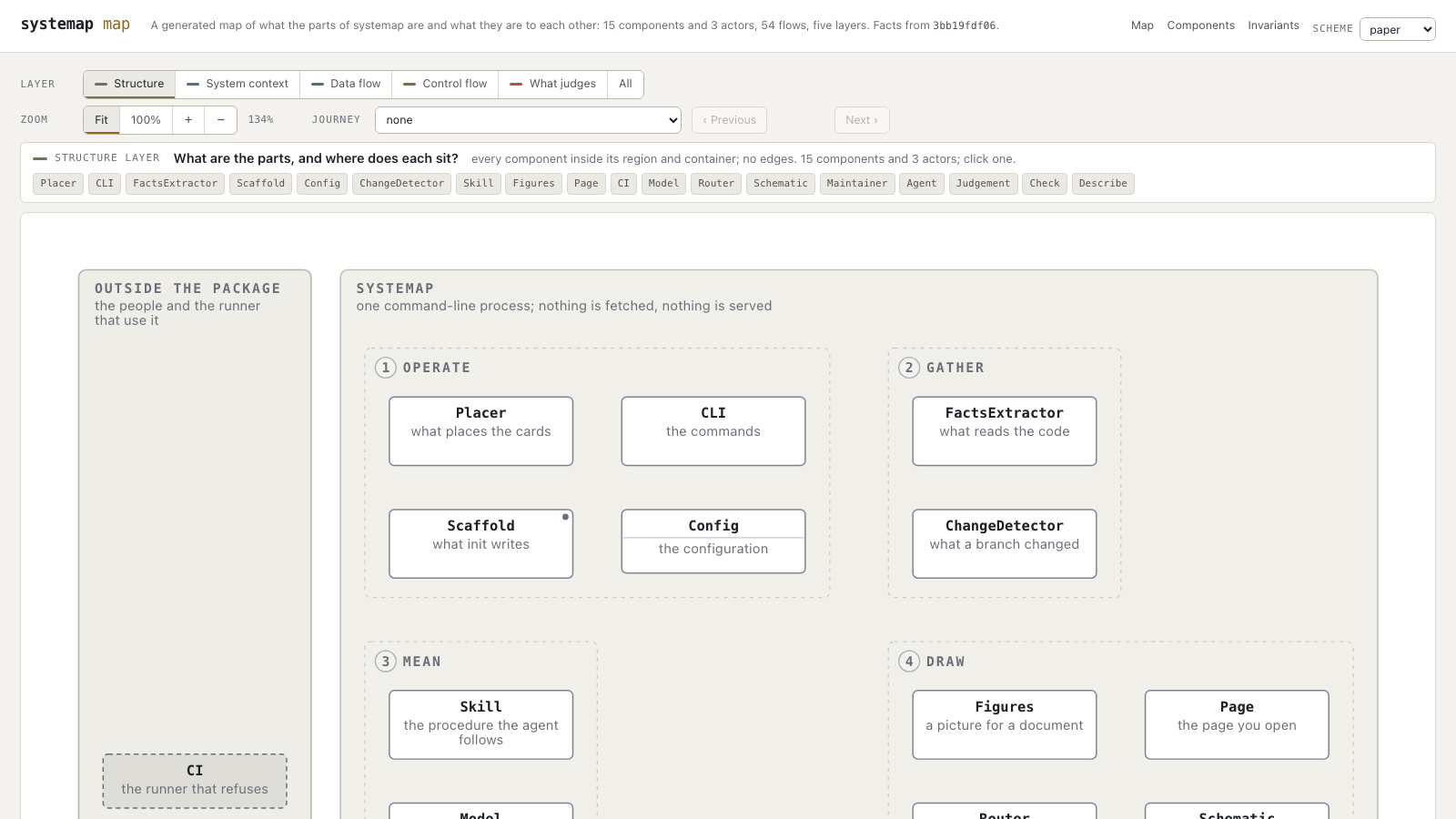
The figure shows systemap's own map with no flow lines. A layer shows the flows that answer one question. Examples include connections across the system boundary, data flow, and control flow. Select a component to see its connected components and the explanation for each connection.
Structure shows no flow lines after a component selection.
Other layers show only flow lines that connect to the selected component.
Without a preview, a selected flow or the selected sequence step shows only its flow line.
The map shows a flow label only for the selected flow or a preview.
Use the pointer or keyboard focus for a flow preview.
The inspector keeps all component connections, with direction and evidence.
Flow lines also show evidence. A solid internal line shows a source review with references and a claim digest that match the stored source snapshot. A short dashed line shows structural evidence: an import, a shared module, or a configured mechanism. A long dashed line shows a declared flow without that evidence. Structural evidence does not show direction or the artifact that a flow carries. External flows have an actor at one end. None of these states records execution.
Install systemap. Then write the initial files:
uv tool install systemap        # or: uv add --dev systemap
systemap init                   # --no-ci to skip the workflow
For a TypeScript repository, install the parser extra:
uv tool install 'systemap[typescript]'
The TypeScript adapter reads .ts and .tsx modules. These records include:
-
Named exports, default exports, and local re-exports.
-
Imports and package
binandexportsentries. -
JSONC
tsconfig.jsonfiles and inherited path aliases.
The outDir and rootDir options connect compiled package entries to source
files. An inherited path that starts with ${configDir} uses the directory of
your own tsconfig.json. This is also the tsc behavior.
If rootDir is missing, systemap uses the rule for your TypeScript version:
-
TypeScript 5 uses the longest common directory of the selected input files. The
include,files, andexcludeoptions select these files. -
TypeScript 6 and later use the
tsconfig.jsondirectory. -
The
compositeoption uses thetsconfig.jsondirectory on all versions.
systemap reads the version from node_modules/typescript, then from
package.json. If the two files do not give a version, systemap tries the two roots.
A compiled target maps to source only if one root gives a match and the other does not.
Extraction and change analysis show common test filenames. For other
filenames, add repository-specific globs, such as
test_patterns = ["**/*.check.ts"]. If no emit directory is configured,
systemap can connect a compiled target to a unique source file.
The target directories are dist/, distribution/, build/, and lib/.
The source directories are src/ and source/.
If the parser cannot read syntax or map a package target, the facts include an
explicit unknown record. systemap check prints these records but does not
reject the map for them. Each unknown record must have a correction or
an accepted answer before systemap judgement --strict accepts it. A missing npm package in
tsconfig.json extends also gives an unknown record. Extraction can thus
continue without node_modules. The TypeScript grammar used by the reader rejects some
correct generic call signatures. These modules stay in the facts with an unknown
public surface.
TypeScript discovery first uses src/, then the repository root. For a
monorepo or a repository without src/, configure [package_roots] for the
application packages. This prevents scripts and fixtures from becoming
application modules.
The init command writes the configuration, an empty map, the skill
instructions, and a CI workflow. The command then prints this instruction:
Make a map of this repository with systemap. Obey the systemap skill and ASD-STE100 Issue 9.
Give the instruction to your agent. The agent reads the code, selects a component for each module, writes flows, and does the checks. A second examination finds missing claims. Read the recorded decisions when the agent stops. Correct the decisions with which you do not agree. Then commit the page.
For Claude Code, use the repository's plugin marketplace:
/plugin marketplace add 0xfauzi/systemap
/plugin install systemap@systemap
Other agents can use the same instructions if they can read files and execute commands.
All map names, sequence steps, interface text, and documentation must use ASD-STE100 Issue 9. The language policy gives the official reference, glossary, and required examination procedure.
This example repository has three files. src/service.ts exports a function.
src/index.ts re-exports the function. The test imports the source module.
src/index.ts
src/service.ts
tests/service.test.ts
src/service.ts exports a function, src/index.ts makes it available to
callers, and the test imports the source module:
// src/service.ts
export function greet(name: string): string {
  return `Hello, ${name}`;
}

// src/index.ts
export { greet } from "./service";

// tests/service.test.ts
import { greet } from "../src/service";
test("greets a person", () => {
  expect(greet("Ada")).toBe("Hello, Ada");
});
After systemap init, set the source root in systemap.toml:
language = "typescript"

[package_roots]
"src" = "example"
To read the extracted records, execute these commands:
systemap extract
systemap facts --names example.service
systemap facts --module example.service
The facts show greet as an export of example.service.
They also connect tests/service.test.ts to that module.
Give your agent the instruction from init to write the map.
Then execute the checks:
systemap check && systemap judgement --strictThe larger fixture in
tests/fixtures/typescript-app includes path
aliases, TSX, and a package binary.
Extraction finds modules, public names, imports, and test references. These facts do not show which modules have one function. Test references also do not show test coverage. Unknown records show information that extraction cannot show.
A person or agent must make the semantic decisions. For example, four modules can form one part, but an import graph does not show that assignment. The same limitation applies to a flow's direction and artifact.
systemap gives the agent a procedure and commands to compare the result with the code. The procedure includes a second pass over the modules and claims. The commands reject mechanical contradictions. They do not show that every semantic decision is correct.
Execute the two commands after a change:
systemap check && systemap judgement --strict
The agent corrects the findings and runs the commands again until no open finding stays.
systemap check compares the map with the code. Its rules reject
unclaimed modules, missing entry names, incorrect geometry, and stale outputs.
Geometry findings include a line through an unrelated component and overlapping
labels. Each finding gives a correction.
systemap judgement prints questions for a decision. Examples
include a single-module component, an entry point with no sequence, and an import
across components with no flow. Change the map or record a reason in
systemap.toml. Exact answers must have evidence for the stored source snapshot. Family answers must have
an explicit policy. Changed evidence can open an exact finding again.
A report with no open findings does not show that every component assignment is correct. The rules use names and imports. They can miss a module in the incorrect component. Without Jev, the skill's second pass compares every claimed module with its component's function. If the facts are not sufficient, the agent or maintainer reads the source.
Six repositories completed the procedure recorded at that time. Four came from other authors. All six completed without intervention. The two commands showed no open findings. The run records are in docs/benchmarks.md.
Git shows changed lines of code. systemap delta --base main shows changed
parts, connections, and claims. Each finding gives a correction.
This example keeps finding identifiers from an earlier version:
moved: pkg.old -> pkg.new (same content); Gateway names pkg.old in
  implemented_by: rename it in map/model.py
added: pkg.thing, claimed by no card; name it in a card's implemented_by
entry vanished: Gateway names entry serve, which its modules no longer define
Gateway is a component. Its implemented_by field contains the claimed modules.
Its entry field shows a public name at which a reader can start.
The workflow from init posts one report comment on the pull request.
New pushes update that comment. The report starts the inspection with changes
to parts and connections. CI rejects the pull request while the report contains
an open decision.
The agent can correct these findings without a full new map. Three merged pull requests from one 111-module repository cost 2.31, 4.39, and 2.50 dollars through this procedure. First-map runs cost between 3 and 26 dollars. Three pull requests from one repository form a small sample. docs/benchmarks.md gives each run.
-
Read a finding's explanation. Each printed finding type has text about its meaning, its effect on the map, and the necessary action.
systemap explain "<kind>"prints the full explanation. -
Write a missing sequence. An agent can write steps for an entry point. systemap compares each step with the map before it writes the sequence.
-
Read changes across a year.
systemap historyreads repository samples. Its report shows parts that grew and the associated commits. -
Make a work plan.
systemap plan "<task>"shows parts likely to change. After the work, the command compares the projection with the changed parts. -
Get a second opinion. TypeSafe's Jev model answers semantic questions that the mechanical rules cannot answer. Set
TYPESAFE_API_KEYfor this option.checkandjudgementmake no network requests. Other commands can use Jev if you set the key.
The experiments set acceptance thresholds before implementation.
The experiment records include features that did not meet their thresholds and
did not ship. See bench/jev.
systemap --help lists all commands.
docs/reference.md gives all options, rules, and settings.
systemap reads Python, TypeScript, and TSX. TypeScript records include exports,
imports, test references, package binaries, export roots, and configured path
aliases. delta and history read the same records from committed trees.
systemap does not read framework-specific TypeScript routes.
The map contains authored and examined flows. It does not contain all function calls or one component for each module. Systemap is not a UML tool. It uses one picture and one layout, with components, flows, and sequences.
uv sync
uv run pytest -q
uv run systemap check && uv run systemap judgement --strict
CI executes tests, type checks, and lint checks on Linux, macOS, and Windows. The Python versions are 3.11 and 3.13. Each platform also installs the built package into an empty environment. The installation job executes the commands against a copy of this repository's map.
systemap uses the MIT license.
If systemap prevents you from completing a map, open an issue. Previous versions used reports of problems from people and agents.