





Website • Install • Usage • Features • Modules • GitHub
ThreatCrush is a security daemon that runs on your server, reading your logs and watching inbound connections for live attacks. It checks every nginx request against 96 OWASP CRS rules (paranoia level 1) + 1 ThreatCrush rule with CRS anomaly scoring, runs 15 detection rules over auth, web and network events, auto-bans attackers, scans your codebase, spot-checks your URLs, and alerts you in real-time.
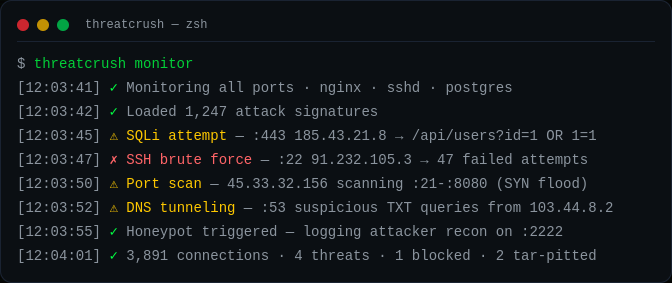
$ threatcrush monitor

2026-09-25 12:03:41 [INFO]    Starting foreground monitor...
2026-09-25 12:03:41 [INFO]    Monitoring 3 log source(s):
  ● ssh-guard      → /var/log/auth.log
  ● log-watcher    → /var/log/nginx/access.log
  ● log-watcher    → /var/log/syslog

  Press Ctrl+C to stop

2026-09-25 12:03:45 [CRITICAL] [log-watcher]  Attack detected [SQLI]: GET /api/users?id=1%20UNION%20SELECT%20password%20FROM%20users (185.43.21.8)
2026-09-25 12:03:46 [CRITICAL] [log-watcher]  Attack detected [PATH_TRAVERSAL]: GET /../../etc/passwd (185.43.21.8)
2026-09-25 12:03:47 [HIGH]     [ssh-guard]    Failed SSH login for root from 91.232.105.3 (91.232.105.3)
2026-09-25 12:03:48 [HIGH]     [ssh-guard]    Invalid SSH user attempt: admin123 from 103.77.88.99 (103.77.88.99)
2026-09-25 12:03:52 [LOW]      [log-watcher]  Client error 404: GET /wp-login.php (203.0.113.9)
monitor tails your logs in the foreground. The daemon (threatcrush start) adds the connection poller, DNS monitor, journald, the rule engine and auto-ban.
Preferred install:
curl -fsSL https://threatcrush.com/install.sh | shThe CLI needs Node.js 22.6 or newer. The installer detects whether the machine is a server or desktop, uses your existing package manager when available, and on a machine with no Node.js sets up Node.js LTS with mise, adding mise's shims to ~/.profile so new login shells find threatcrush. If it finds an older Node.js it stops without installing anything and tells you how to upgrade.
- Linux server → installs the CLI
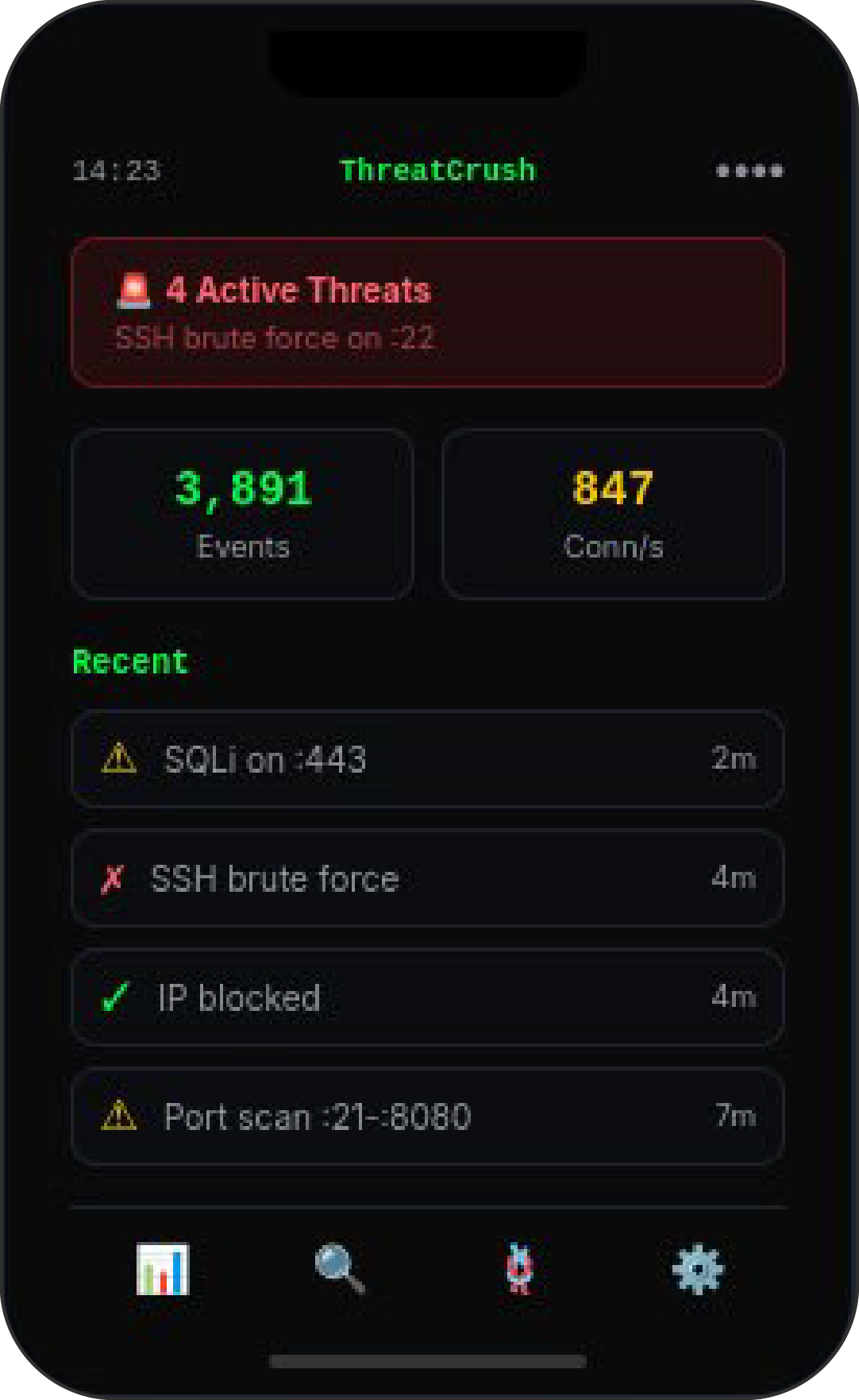
- Desktop (Linux, macOS, Windows) → installs the CLI and points you to the desktop app, a separate download from GitHub Releases. The desktop app talks to a ThreatCrush daemon on the same machine; log monitoring and firewall bans need Linux.
After install, the blessed lifecycle commands are:
threatcrush update   # upgrades the installed bundle
threatcrush remove   # removes the installed bundle
Manual package-manager installs still work if you want them (Node.js 22.6+):
npm i -g @profullstack/threatcrush
pnpm add -g @profullstack/threatcrush
yarn global add @profullstack/threatcrush
bun add -g @profullstack/threatcrushthreatcrush # Get started
threatcrush monitor # Watch nginx, auth & syslog for attacks (foreground)
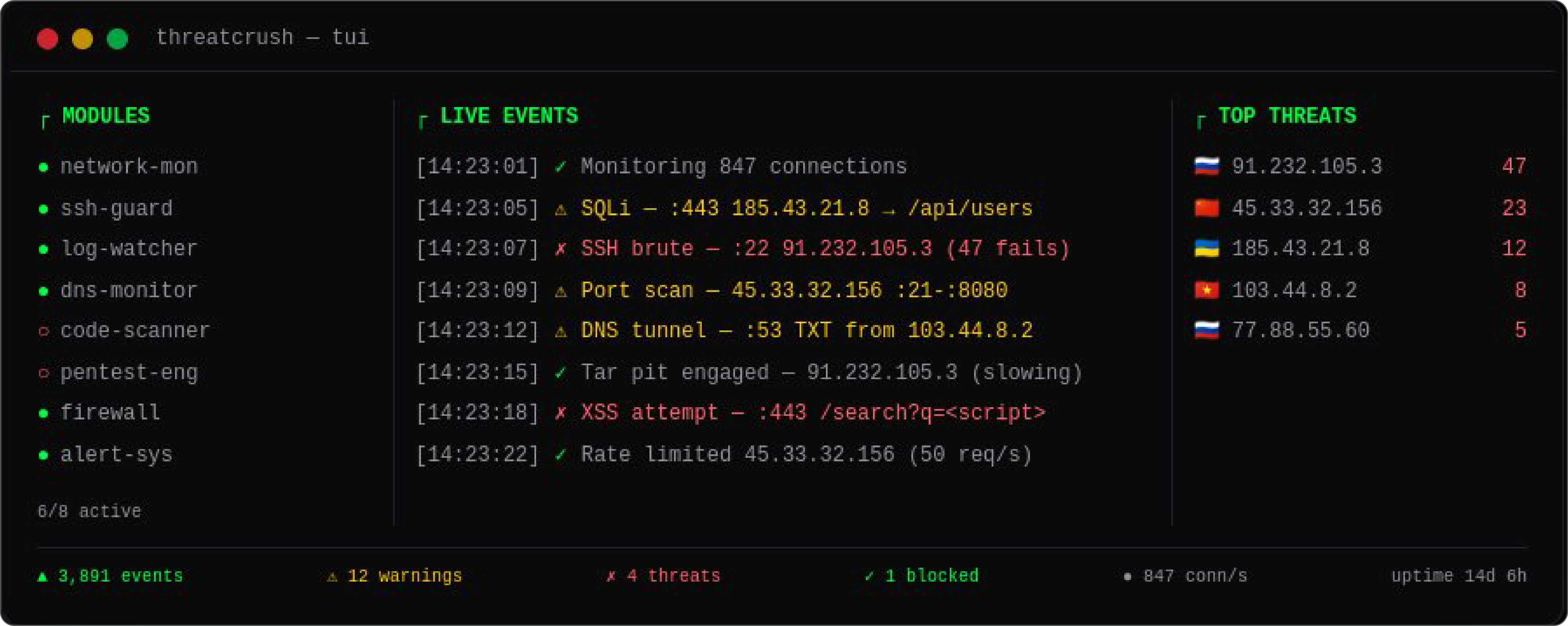
threatcrush tui # Interactive dashboard (htop for security)
threatcrush scan ./src # Scan code for vulnerabilities & secrets
threatcrush pentest URL # Quick web security checks against a URL
threatcrush harden # Check the host's SSH, firewall, updates and exposed ports
threatcrush init # Auto-detect services, generate config
threatcrush status # Show daemon status & loaded modules
threatcrush block IP # Ban an IP at the firewall (unblock, blocklist, allowlist too)
threatcrush servers link # Send this server's detections to the cloud dashboard (next release)
threatcrush modules # Manage security modules
threatcrush store # Browse the module marketplace
threatcrush update # Upgrade the CLI using the supported pathFull command reference: threatcrush.com/docs.
| Feature | Description |
|---|---|
| 🔍 Live Attack Detection | Tails nginx, auth, syslog and journald, and polls inbound connections to the ports you serve. Detects SQLi, XSS, path traversal, RFI, SSH brute force, port scans, SYN floods, DNS tunneling. |
| 🛡️ Code Security Scanner | Scan a codebase for hardcoded secrets and risky code patterns; --deps checks lockfile versions against OSV.dev. Text, JSON or SARIF output. |
| 💥 Pentest Checks | threatcrush pentest URL spot-checks security headers, CSP, CORS, cookie flags, server banners, directory listings and error leaks, then probes for SQL errors, path traversal and unsafe HTTP methods. |
| 🔀 Network Monitor | Polls conntrack/ss every 5 s for inbound TCP connections to your listening ports. Flags port scans (10+ ports in 30 s) and SYN floods (50+ half-open from one source). No packet capture. |
| 🚫 Automatic IP Bans | Bans attacking IPs via nftables, iptables or fail2ban, with longer bans for repeat offenders. Allowlisted ranges and verified Google/Bing crawlers are never auto-banned. |
| 🧱 Hardening Checks | threatcrush harden checks SSH password/root login, sshd weaknesses, automatic security updates, an active firewall, risky exposed ports and fail2ban. |
| 🔔 Alerts | Email, Slack, Discord, PagerDuty and webhook notifications when a threat is detected. |
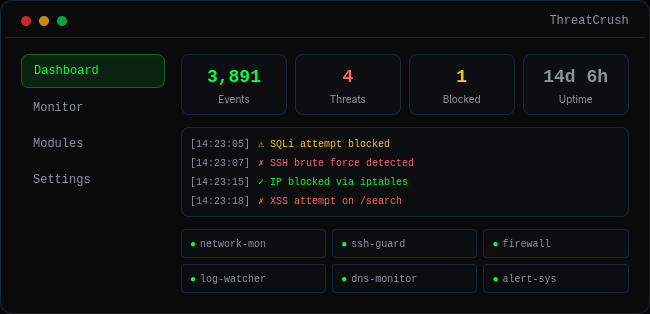
| 📡 Cloud Dashboard | threatcrush servers link (next release) sends detections, hardening findings, bans and heartbeats to your organization's dashboard at threatcrush.com, where you can also queue bans. |
| ⚙️ systemd Daemon | Runs as a background service on your server. Auto-starts on boot, monitors 24/7. |
| 📊 TUI Dashboard | Interactive terminal dashboard — htop for security. |
ThreatCrush uses a pluggable module system. Install from the marketplace or build your own:
threatcrush modules list                # List built-in and installed modules
threatcrush modules available           # List modules you can install
threatcrush modules install ssh-guard   # Install a module
threatcrush store search "firewall"     # Search marketplace
threatcrush store publish https://github.com/you/my-module # Publish your own| Component | What it covers |
|---|---|
log-watcher |
nginx access log + syslog — 96 OWASP CRS rules (PL1: SQLi, XSS, path traversal, RFI, RCE, PHP/Java injection, SSRF, scanners) + 1 ThreatCrush rule (OS files in the path) scored on every request |
ssh-guard |
auth.log / secure — failed logins, brute force, root logins, user enumeration |
user-journal |
journald — the systemd journal |
network-monitor |
Inbound connections to your listening ports — port scans, SYN floods |
dns-monitor |
Resolver logs (systemd-resolved, dnsmasq, bind, Pi-hole) — DNS tunneling, DGA detection |
threatcrush scan |
Vulnerabilities, secrets, dependency CVEs (OSV.dev, with --deps) |
threatcrush pentest |
Header, CORS, cookie, SQL-error, path-traversal and HTTP-method checks |
| auto-defend | Bans via fail2ban, nftables or iptables |
| alerts | Slack, Discord, email, webhook, PagerDuty |
Anyone can publish a module to the marketplace; publishing is free and listings go live after review. Browse what exists with threatcrush store or at threatcrush.com/store.
Module ideas we would like to see (none of these exist yet):
docker-monitor— Container escape detectionk8s-watcher— Kubernetes cluster securityhoneypot— Deploy decoy servicesgeo-blocker— Block traffic by country/ASNcompliance-reporter— SOC2, HIPAA, PCI-DSS reports
threatcrush init                    # Auto-detect & generate config
threatcrush init --offline          # Same, without signing in (scripts, CI, containers)
Config lives at /etc/threatcrush/threatcrushd.conf with module configs in /etc/threatcrush/threatcrushd.conf.d/.
Contact us for pricing → threatcrush.com/hire
Check the site you're on from your browser:
- Chrome / Edge — Chrome Web Store (coming soon)
- Firefox — Firefox Add-ons (coming soon)
- Safari — Coming soon
Page checks (HTTPS, security headers, CSP, clickjacking, mixed content, forms, cookie flags) run entirely in your browser. Signed in, the toolbar badge counts new detections for your organization. Until the store listings are live, sideload it from apps/extension.
- 🌐 Website: threatcrush.com
- 📦 npm: @profullstack/threatcrush
- 🐙 GitHub: profullstack/threatcrush
- 🐛 Issues: GitHub Issues
MIT © Profullstack, Inc.